How to install Oleada TV on Android TV / TV Box
Step-by-step guide to install Oleada TV with Downloader, download code, and screenshots.
How to install Oleada TV
Works on Android TV, Google TV, and compatible TV Boxes.
-
Open your device’s app store (Play Store).
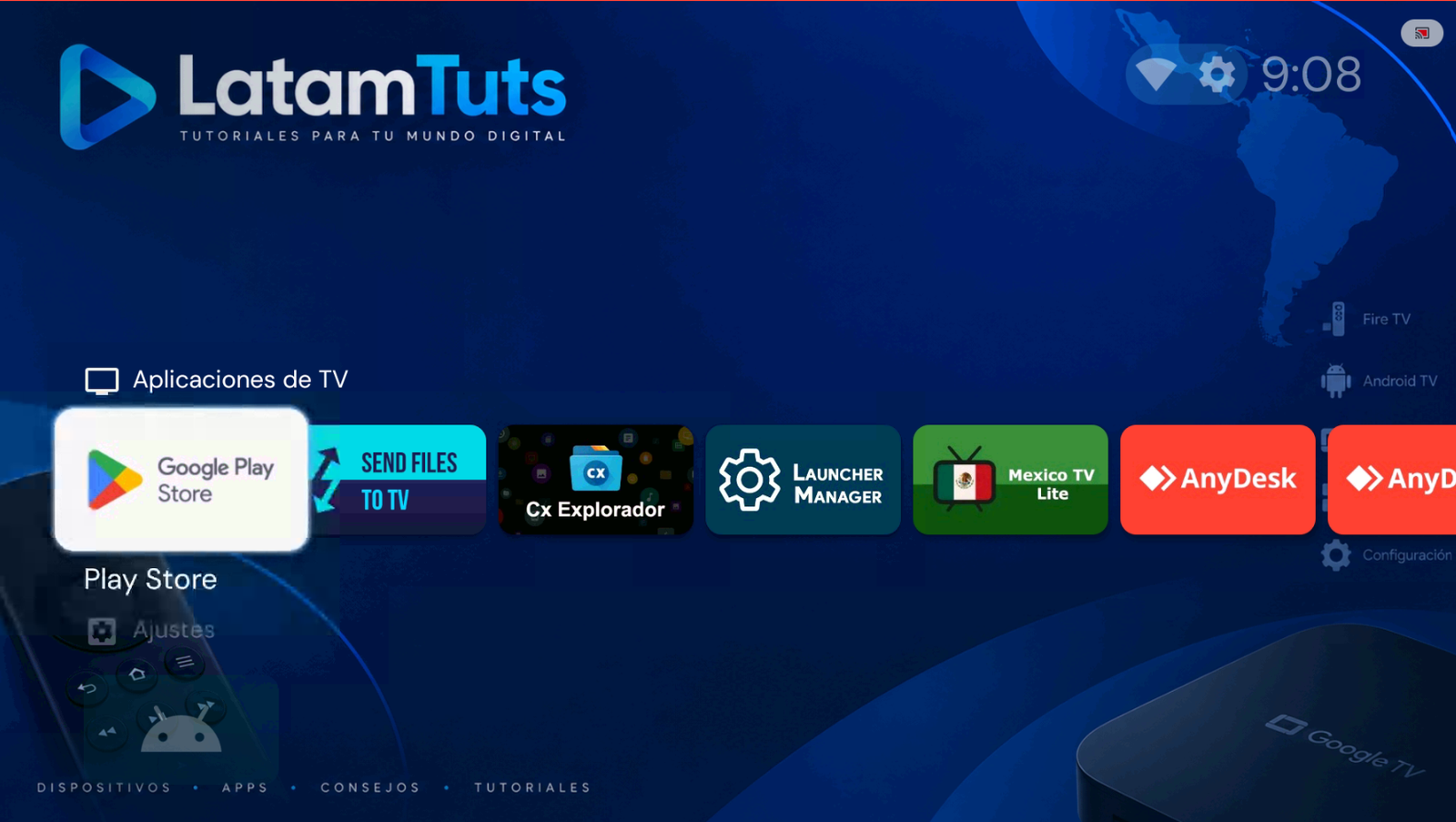
Open Play Store. -
Search for the app Downloader by AFTVnews.
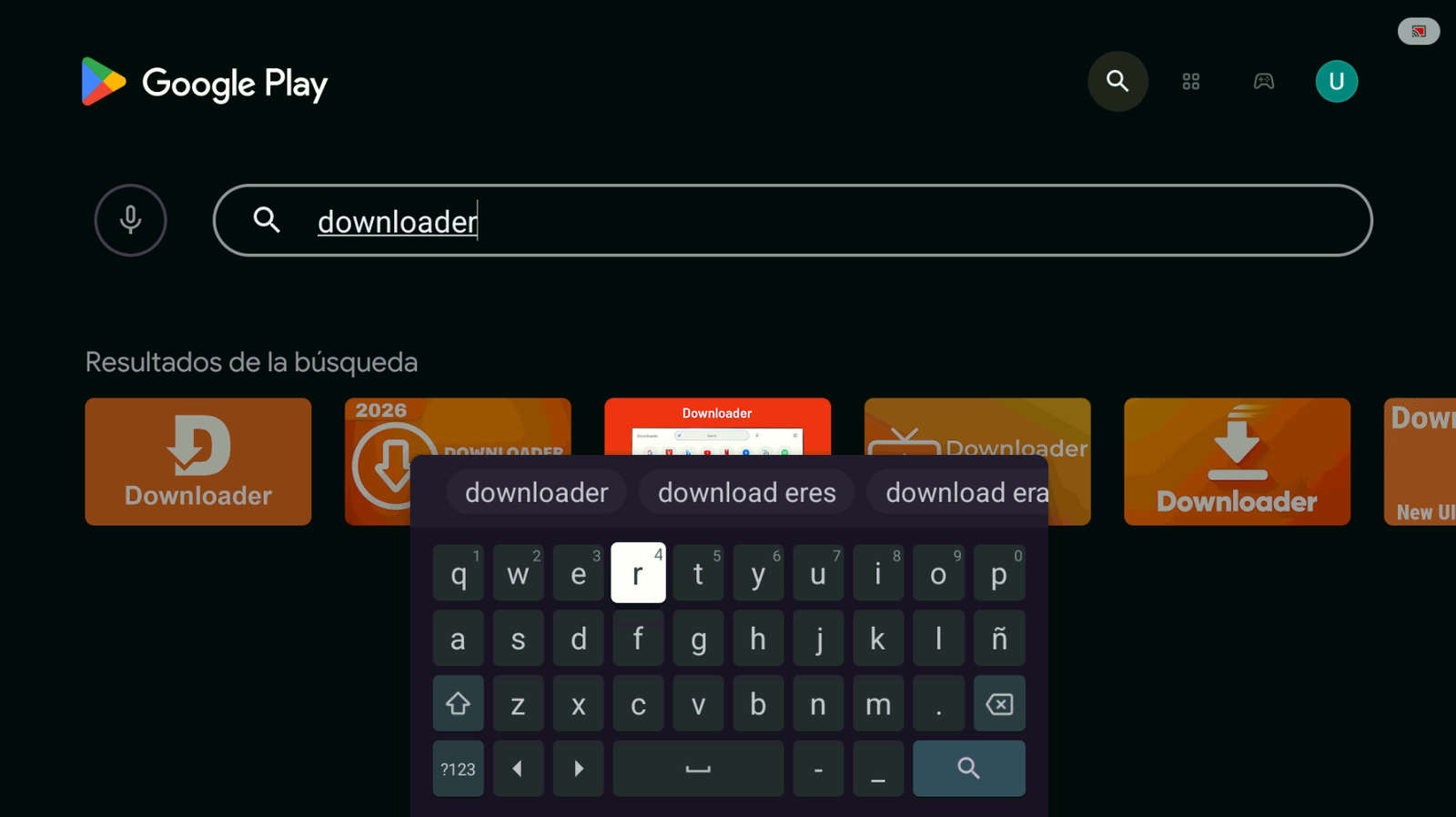
Search for Downloader. -
Install the app and tap Open. Make sure the publisher is AFTVnews.
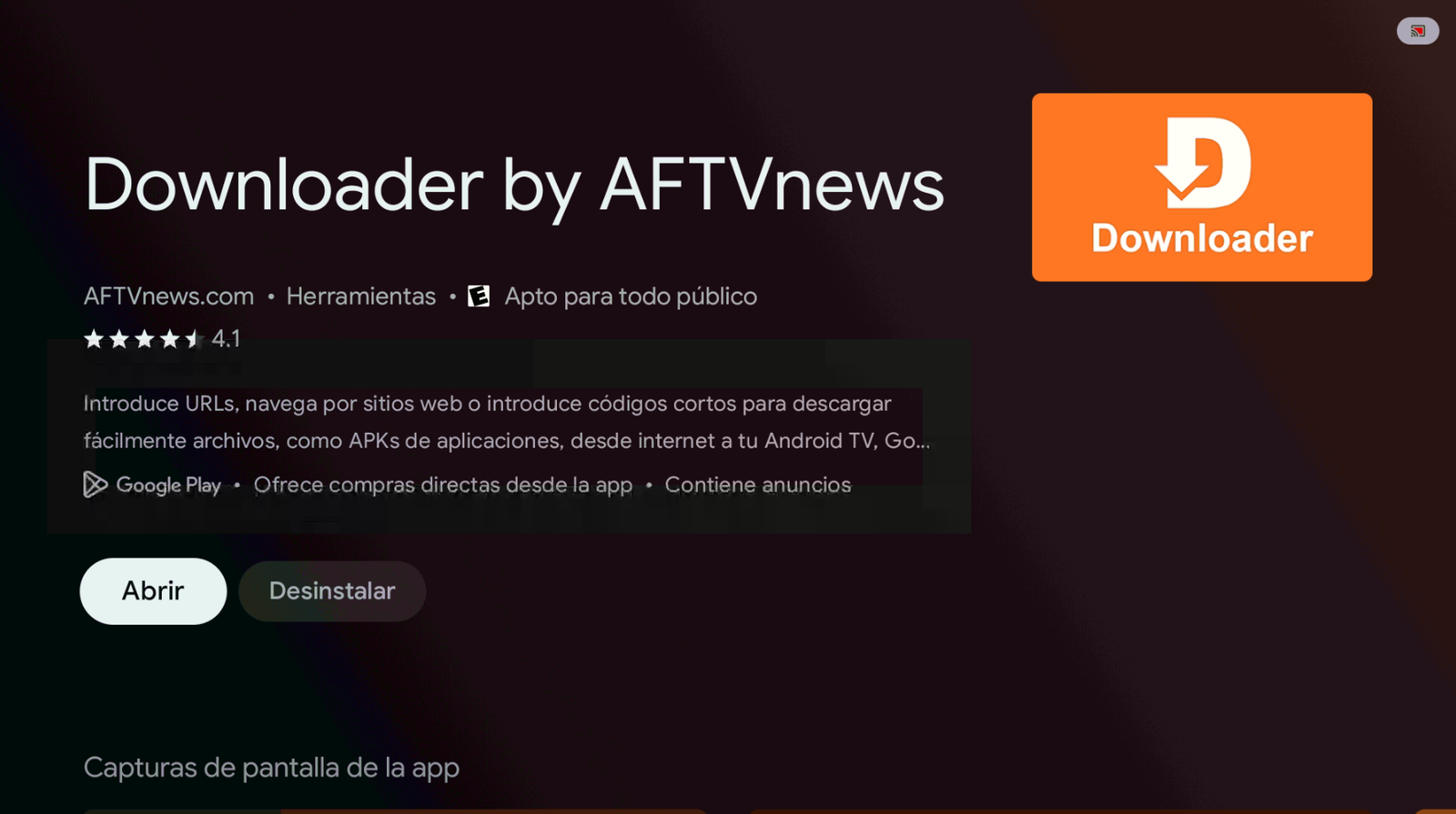
Install and open Downloader. -
In the search bar, enter the code 9387291 and tap Load.
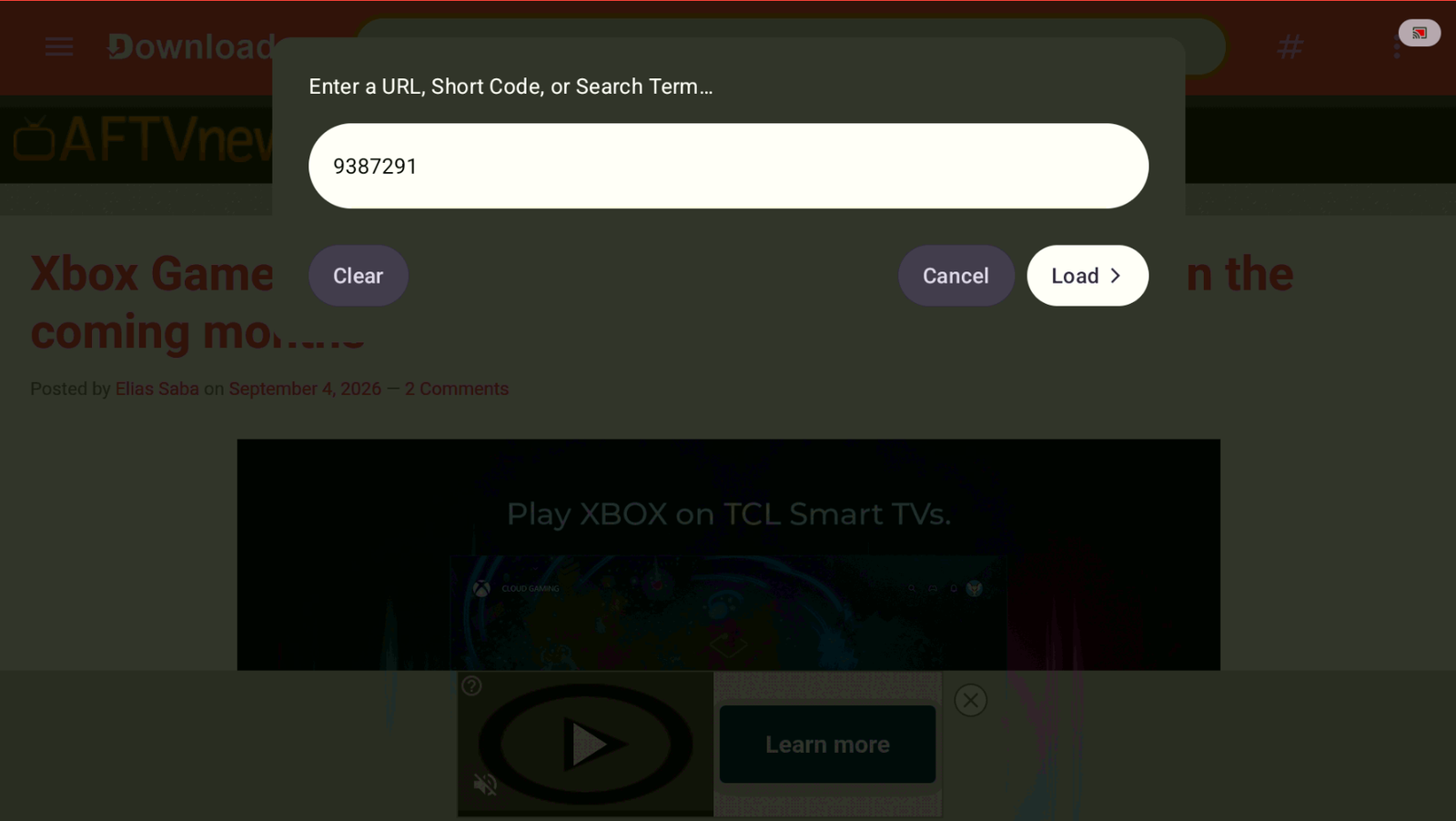
Code: 9387291 → Load. -
Wait a few seconds and the app will start downloading automatically.
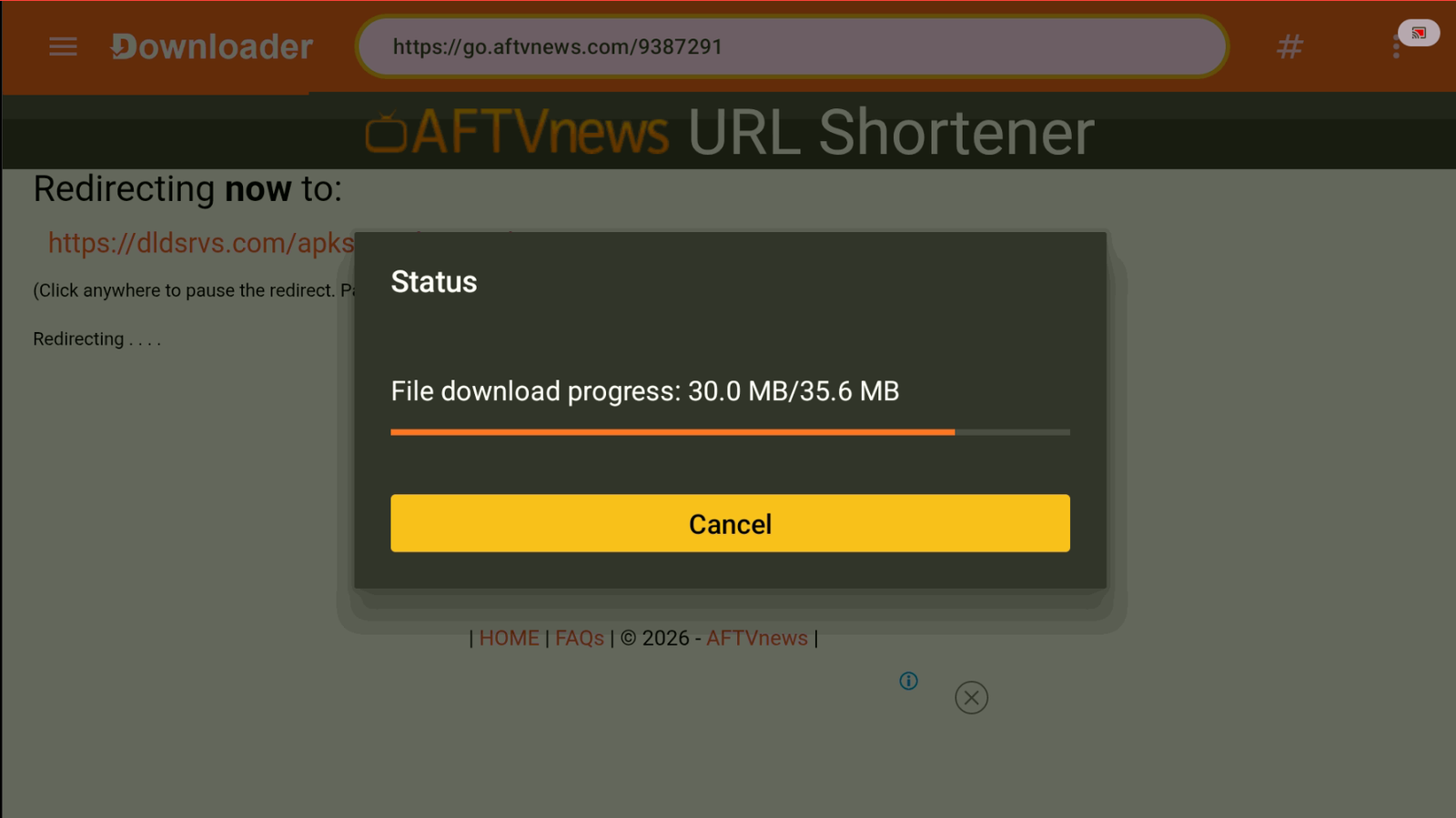
Wait for the download to finish. -
If you need to allow Downloader to install external apps and this window appears, tap Settings.
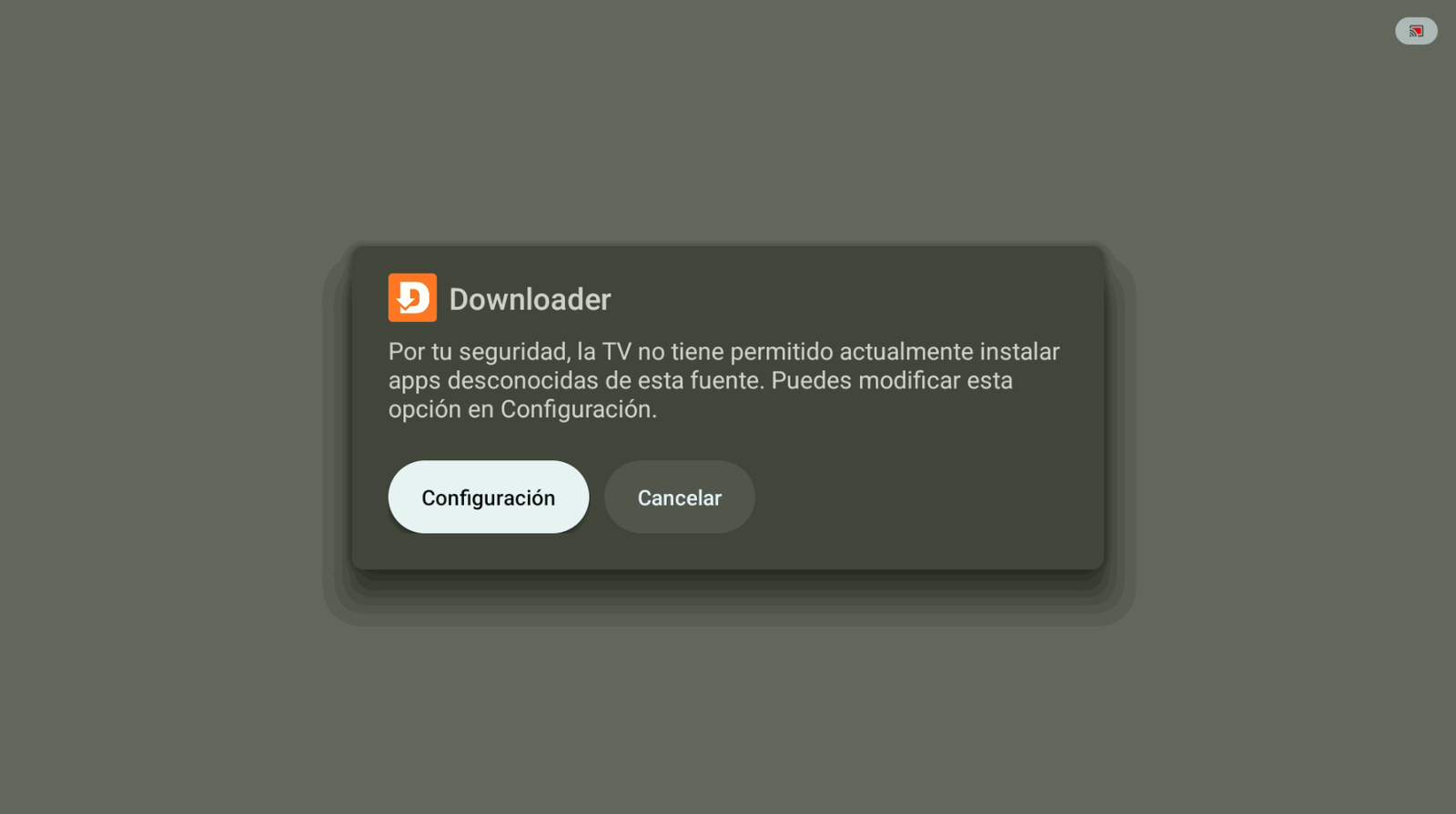
Tap Settings. -
Allow Downloader to install unknown apps.
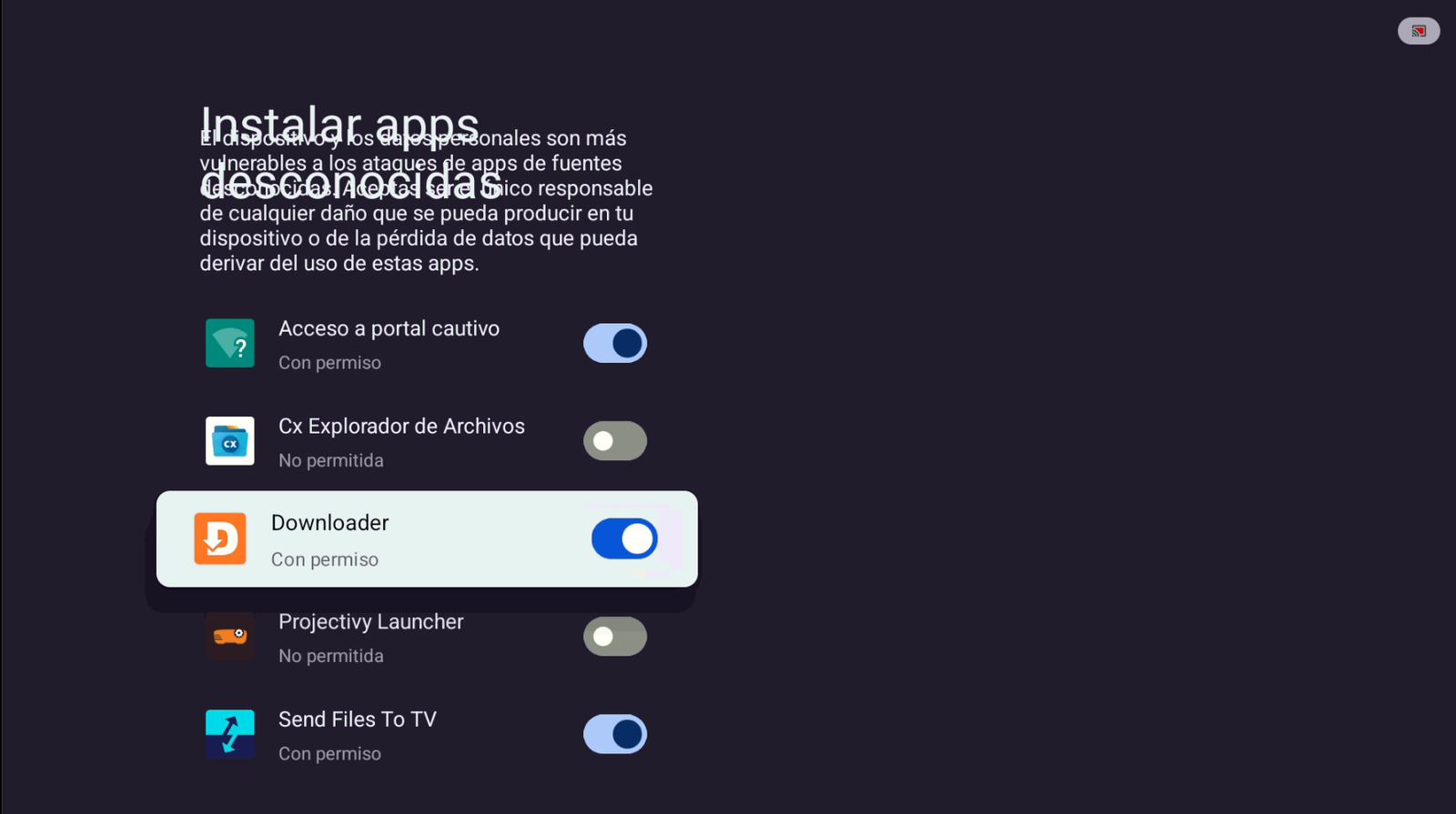
Enable permission for Downloader. -
Tap Install when the Oleada TV install window appears.
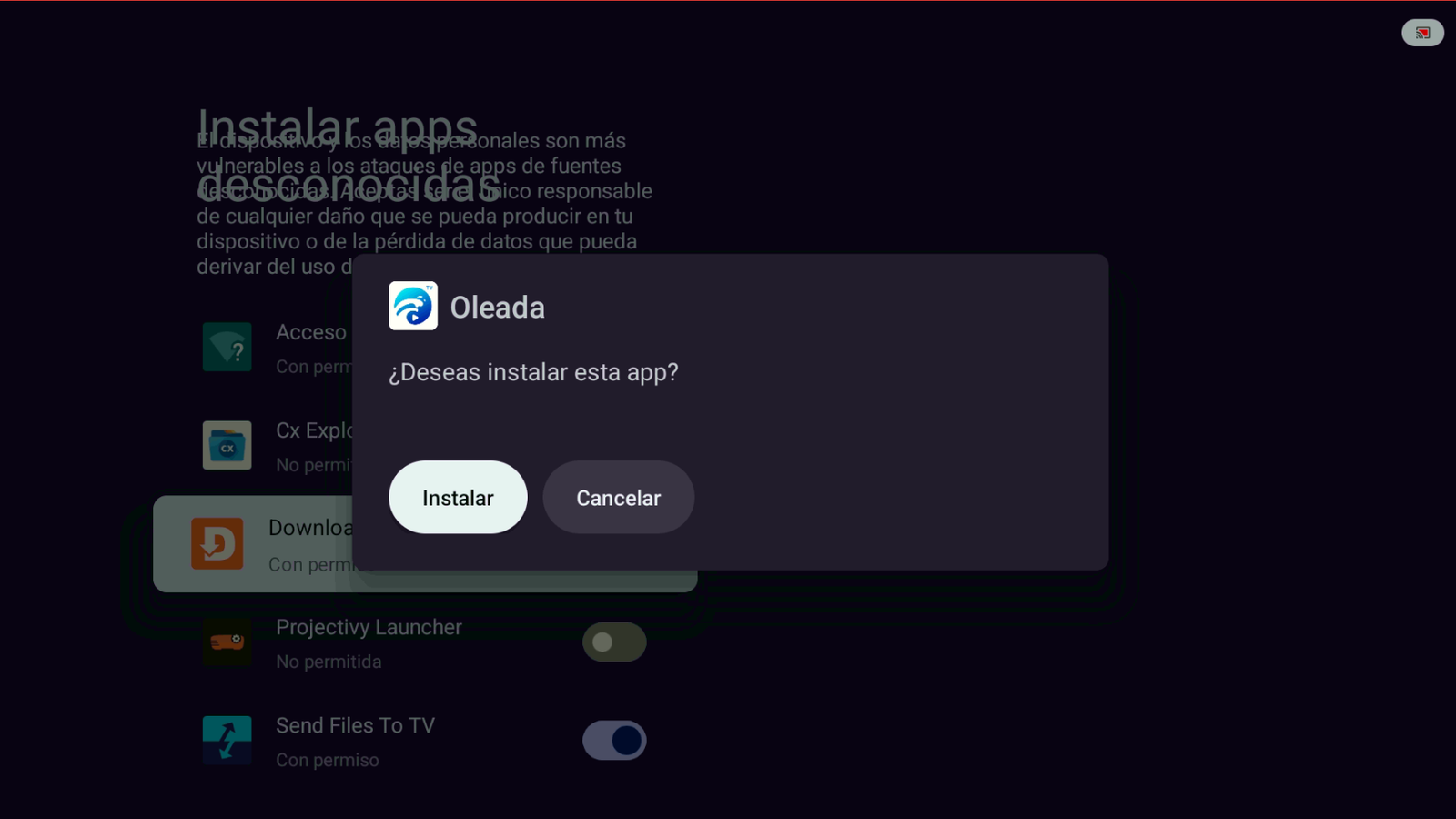
Tap Install. -
If Play Protect shows a warning, tap More details, then Install anyway.
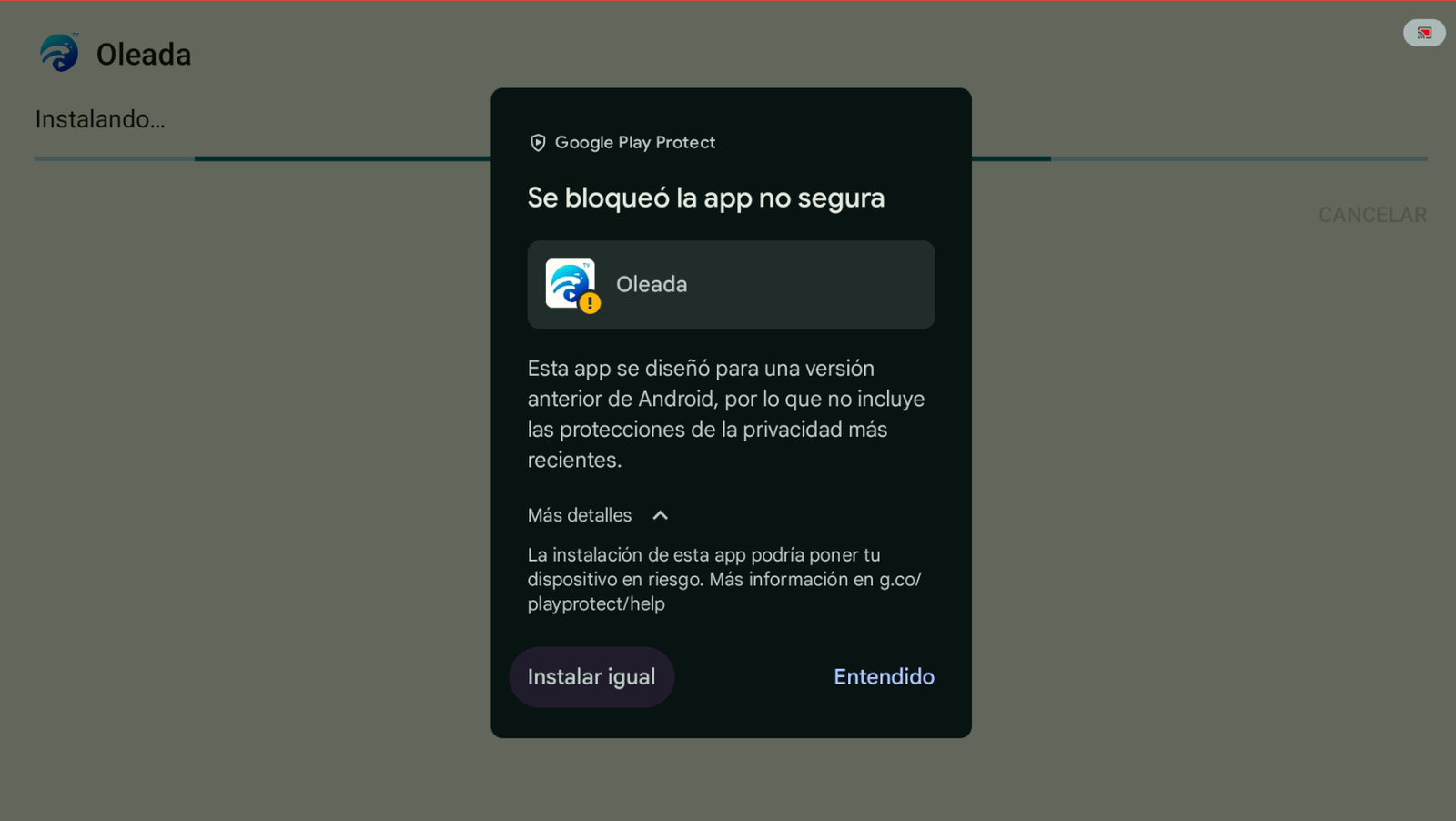
More details → Install anyway. -
When installation finishes, tap Open.
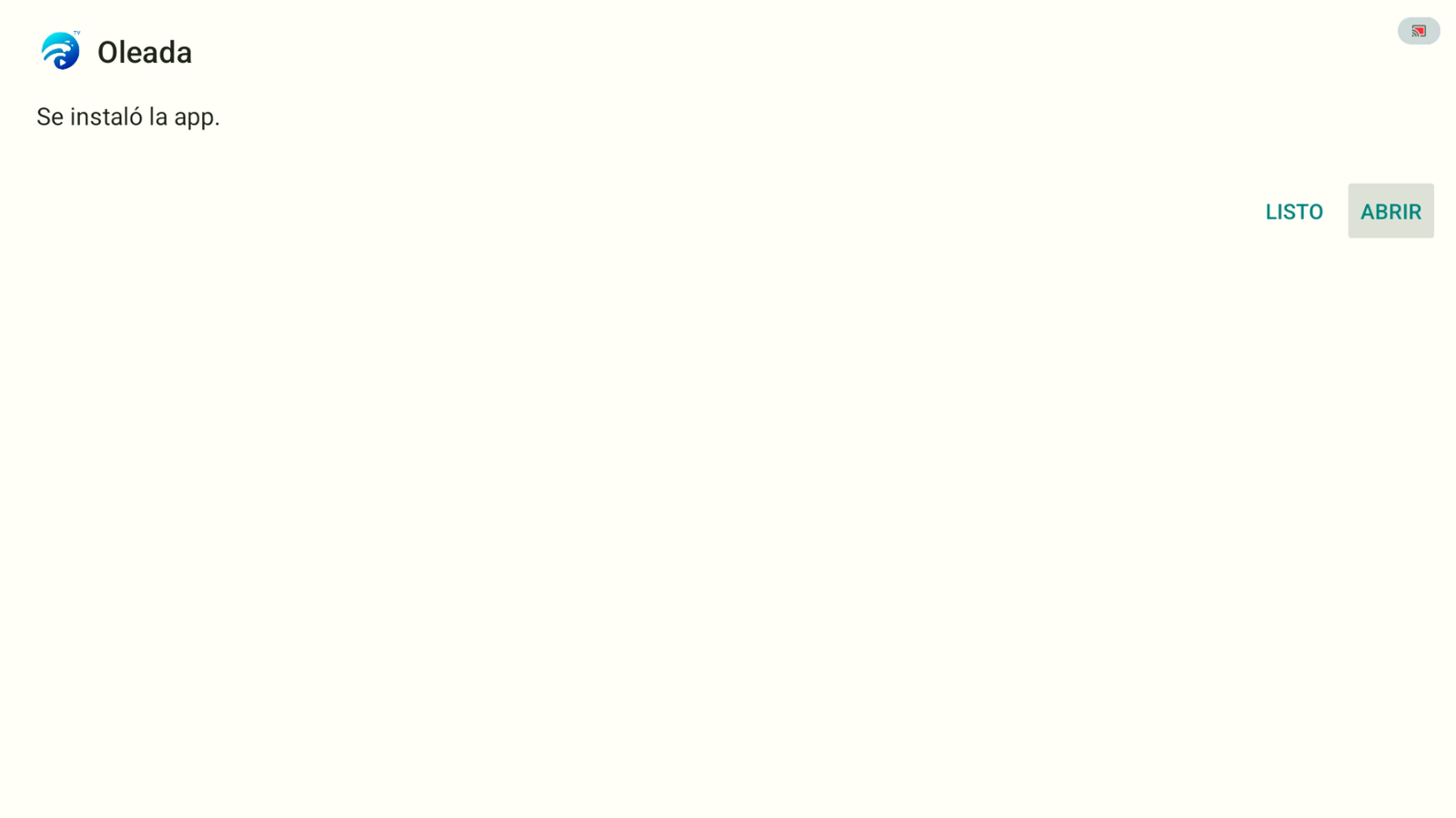
App installed → Open. -
Grant the permissions Oleada needs to work correctly (tap Allow).
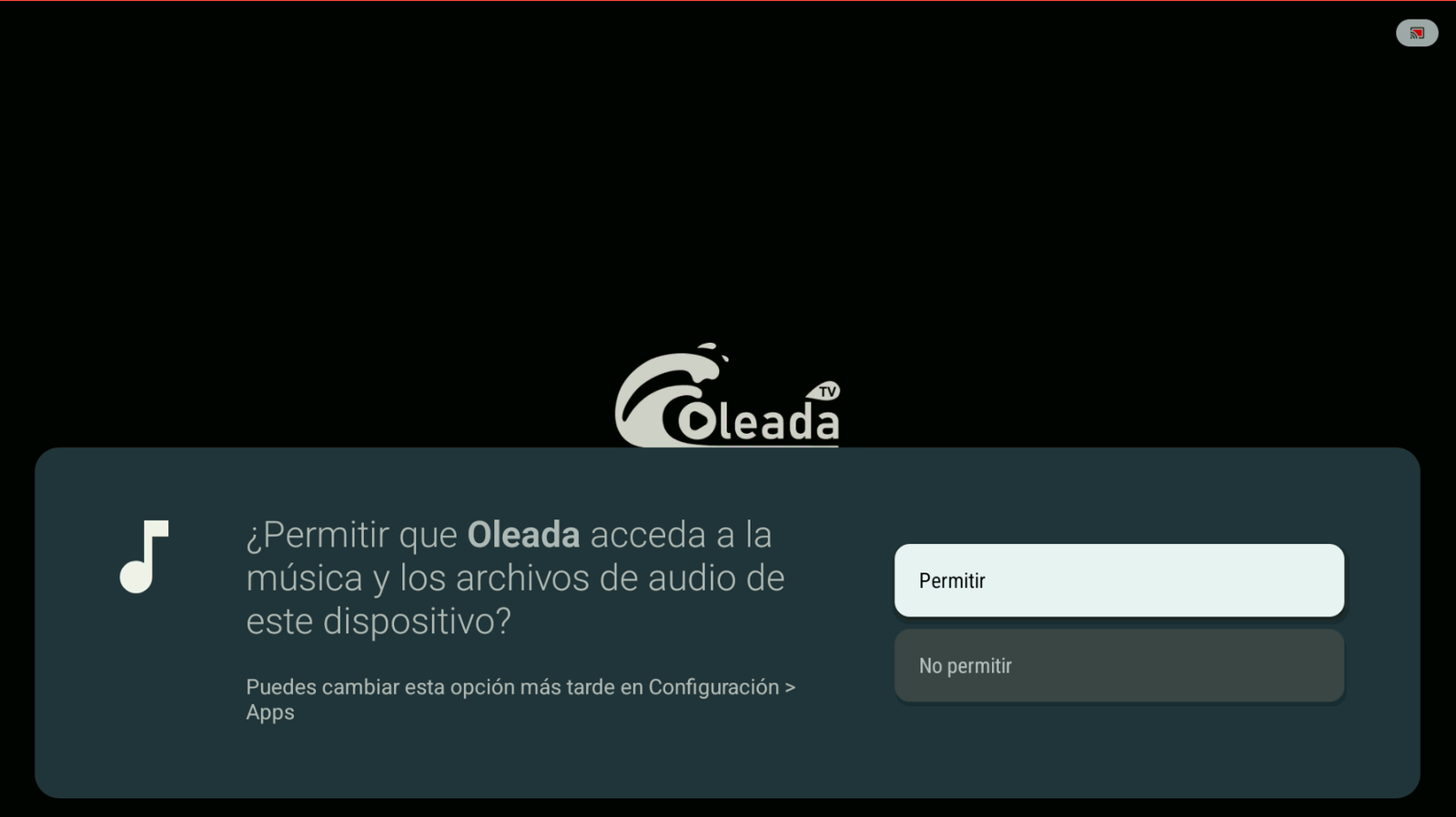
Tap Allow. -
On first launch you’ll get a 1-day free trial. Tap Try it now! to check out the app.
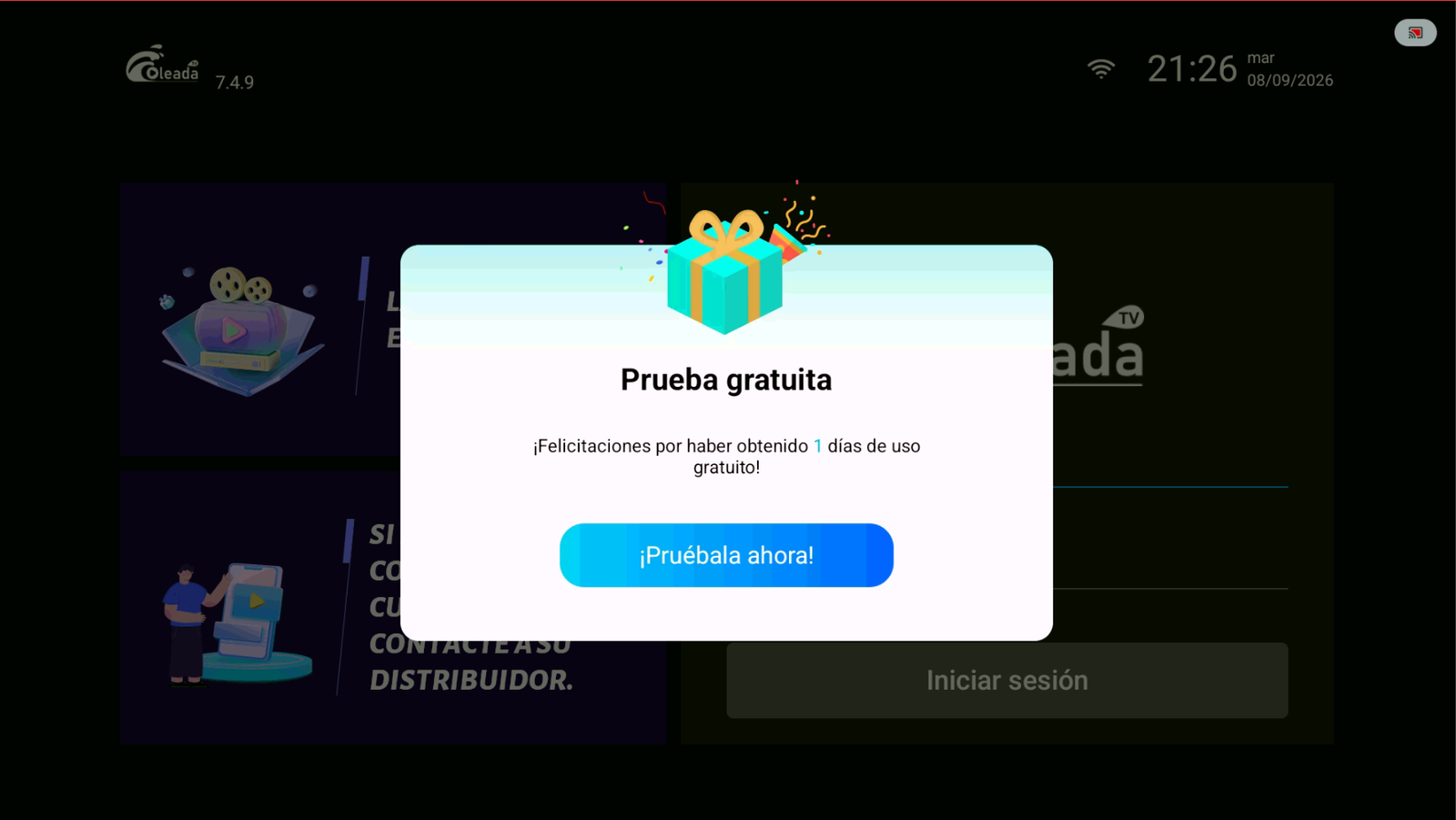
Start your free trial day. -
When the trial ends, you can buy an account. Contact: +52 55 2707 7840.
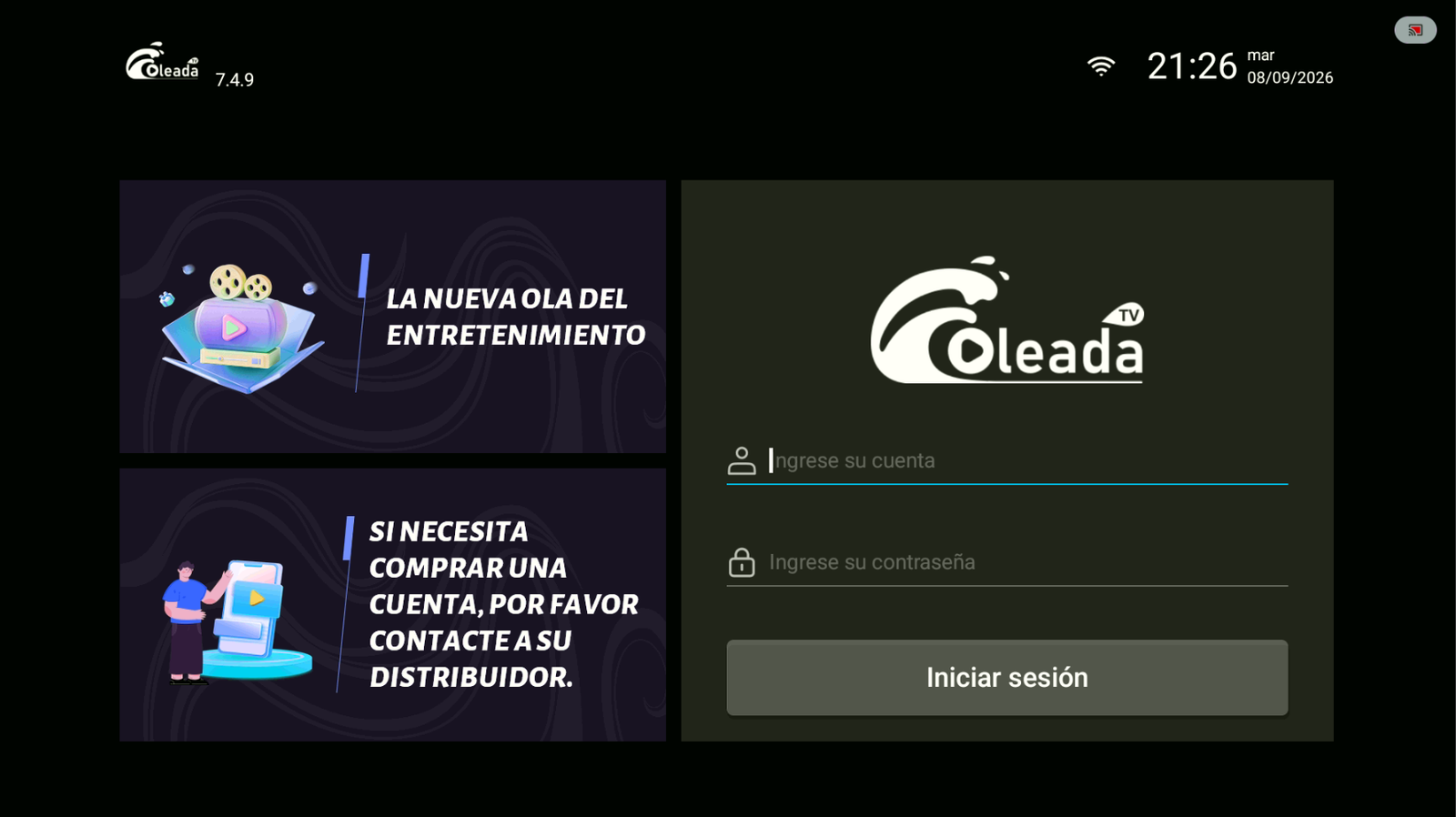
Sign in or request your account.
Conclusion
With Downloader and code 9387291, you can install Oleada TV in minutes and use the free trial.
Buy Oleada TV
To buy a Oleada TV account, contact us on WhatsApp: +52 55 2707 7840.
Comments
Comments will appear once Disqus is configured.