How to install Telelatino on Android TV / TV Box
Step-by-step guide to install Telelatino (Tele Latino MAX) with Downloader, download code, and screenshots.
How to install Telelatino
Works on Android TV, Google TV, and compatible TV Boxes.
-
Open your device’s app store (Play Store).
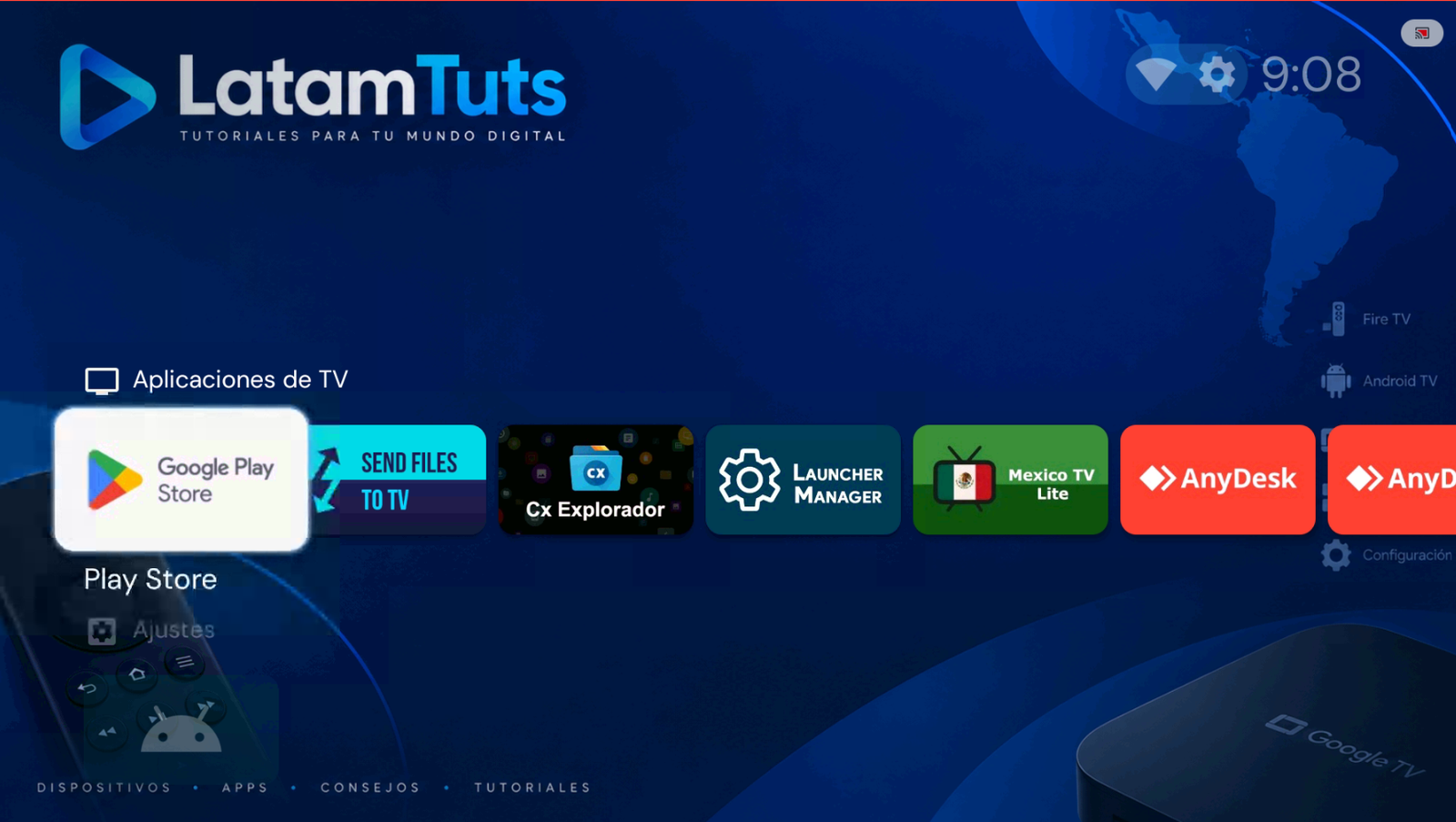
Open Play Store. -
Search for the app Downloader by AFTVnews.
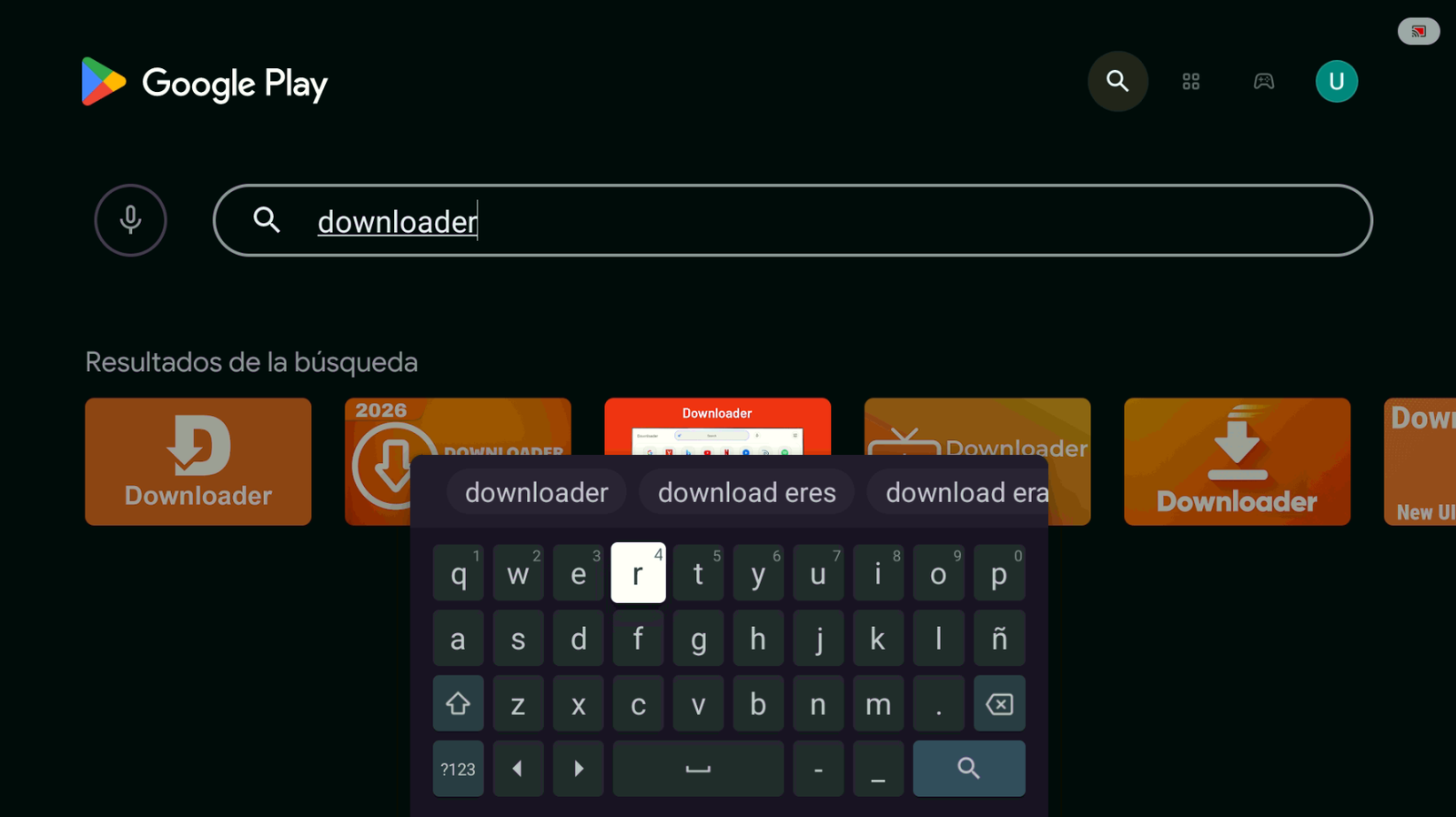
Search for Downloader. -
Install the app and tap Open. Make sure the publisher is AFTVnews.
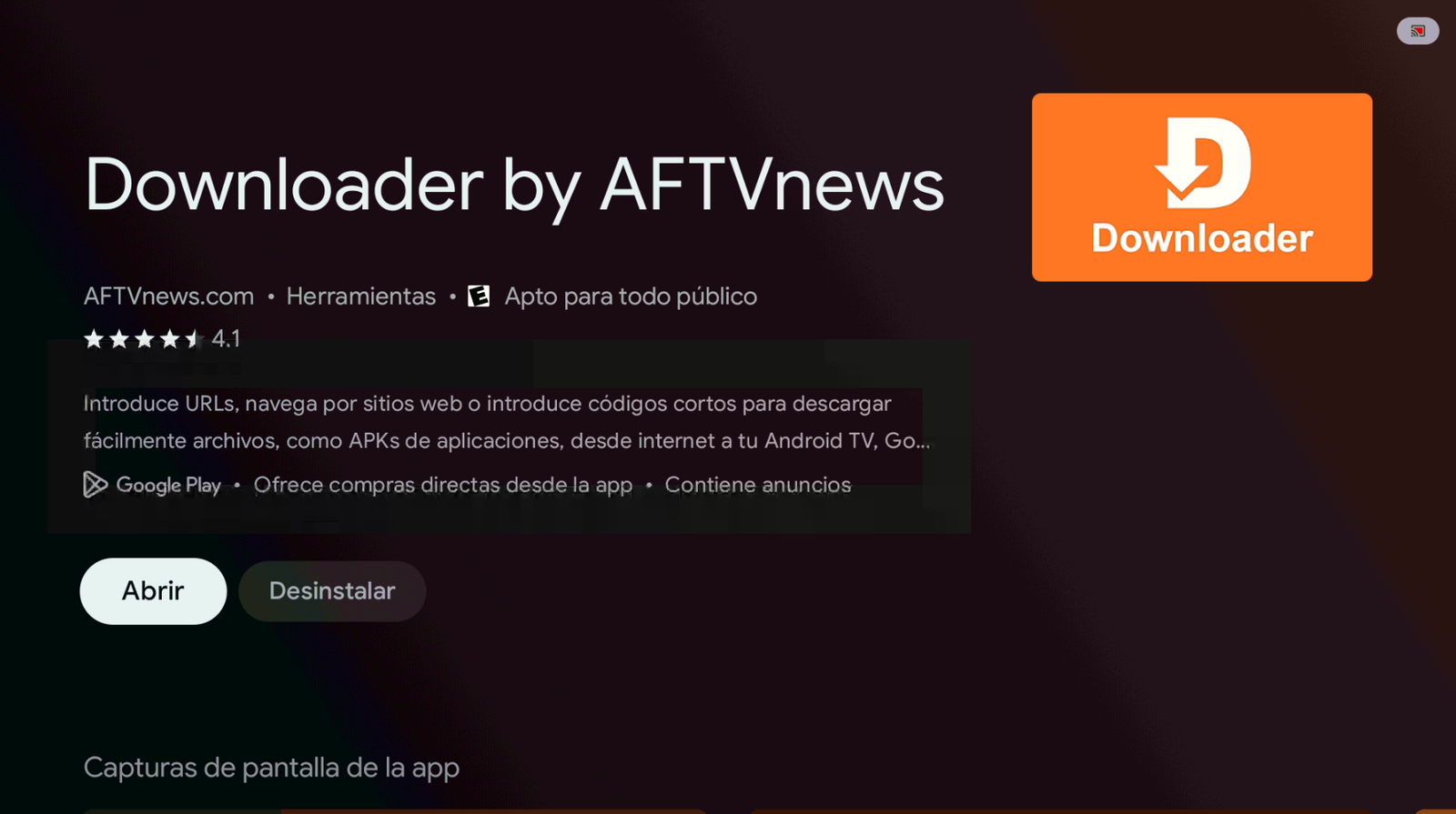
Install and open Downloader. -
In the search bar, enter the code 2509375 and tap Load.
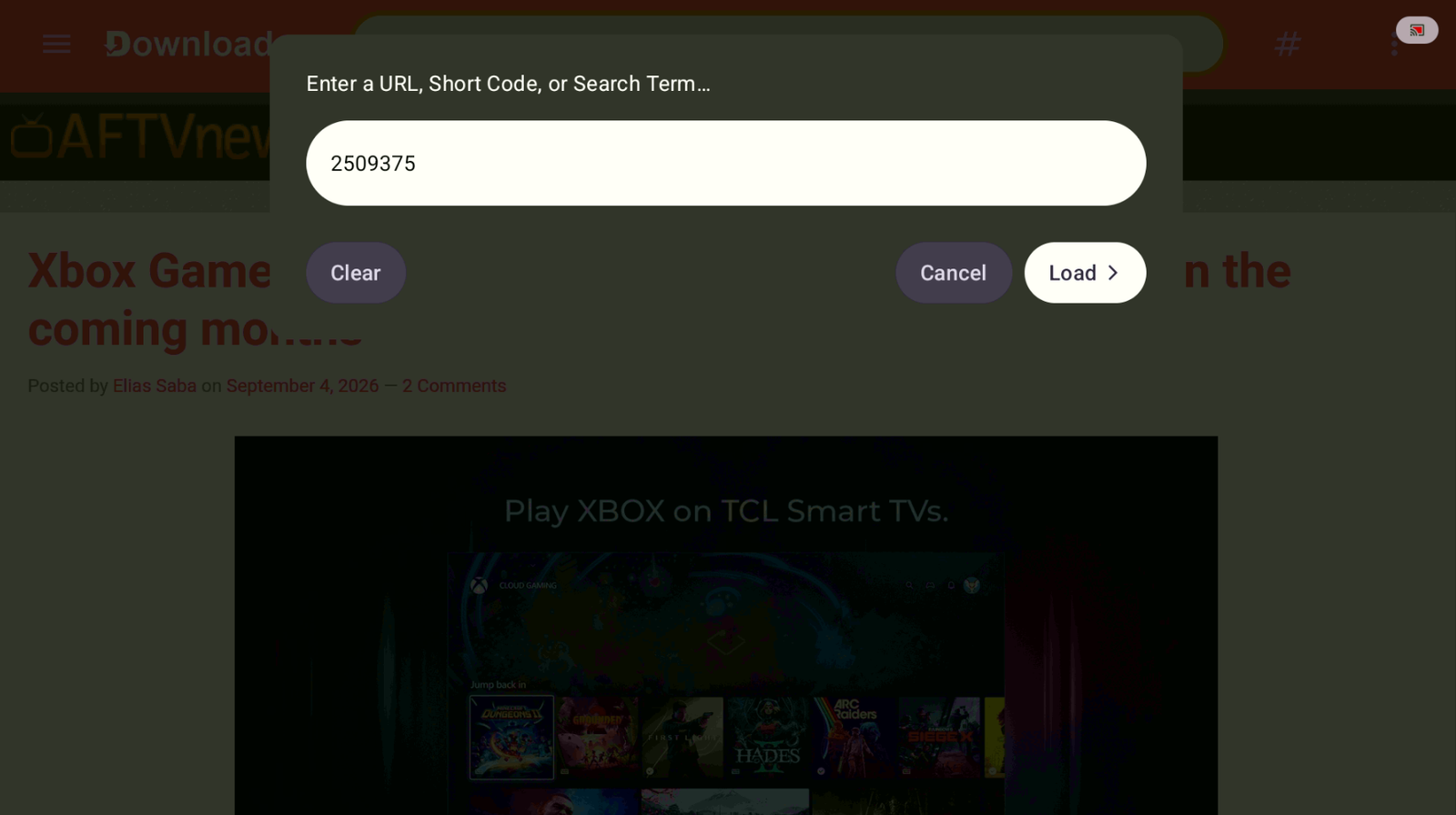
Code: 2509375 → Load. -
Wait a few seconds and the app will start downloading automatically.
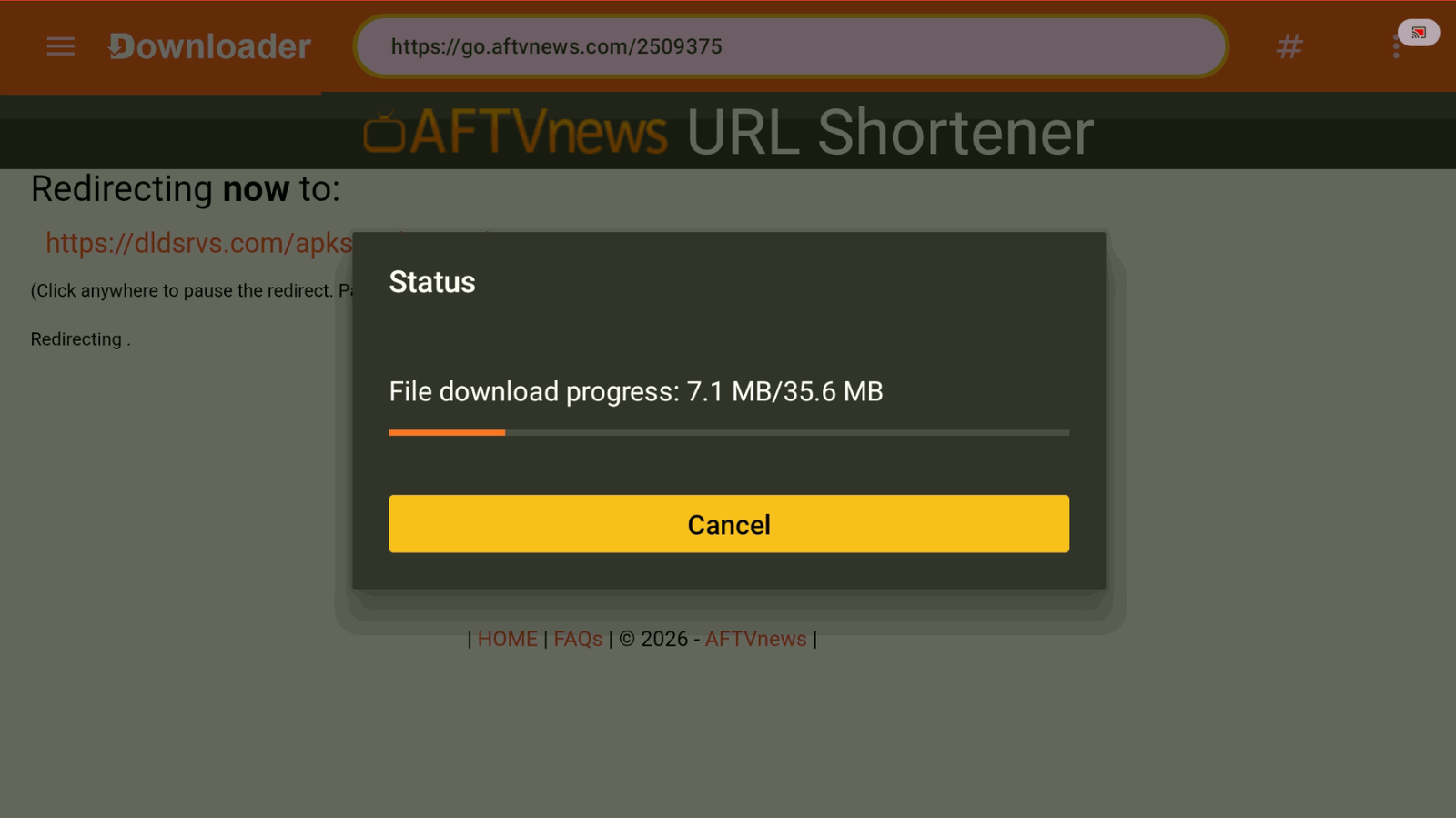
Wait for the download to finish. -
If you need to allow Downloader to install external apps and this window appears, tap Settings.
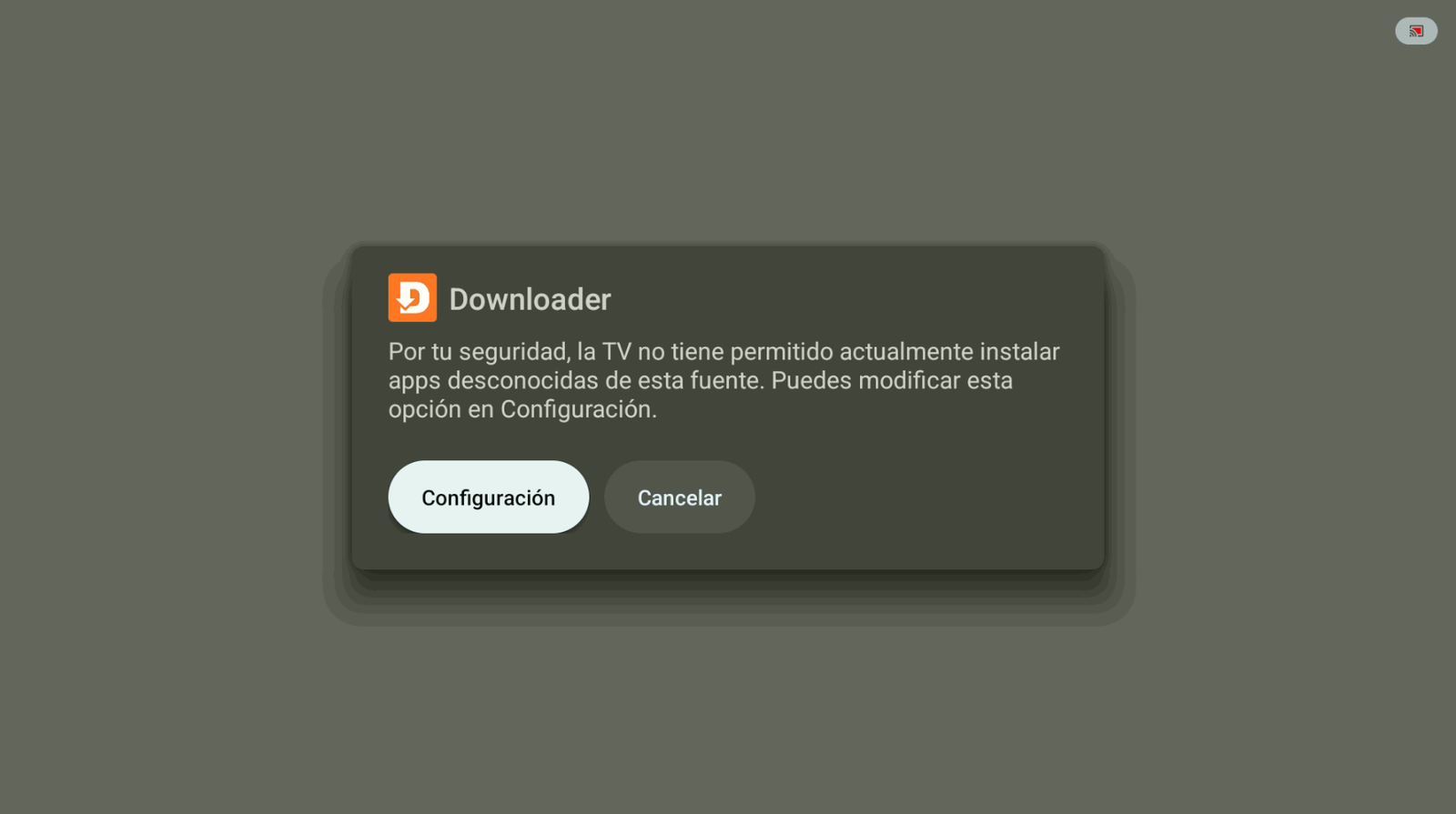
Tap Settings. -
Allow Downloader to install unknown apps.
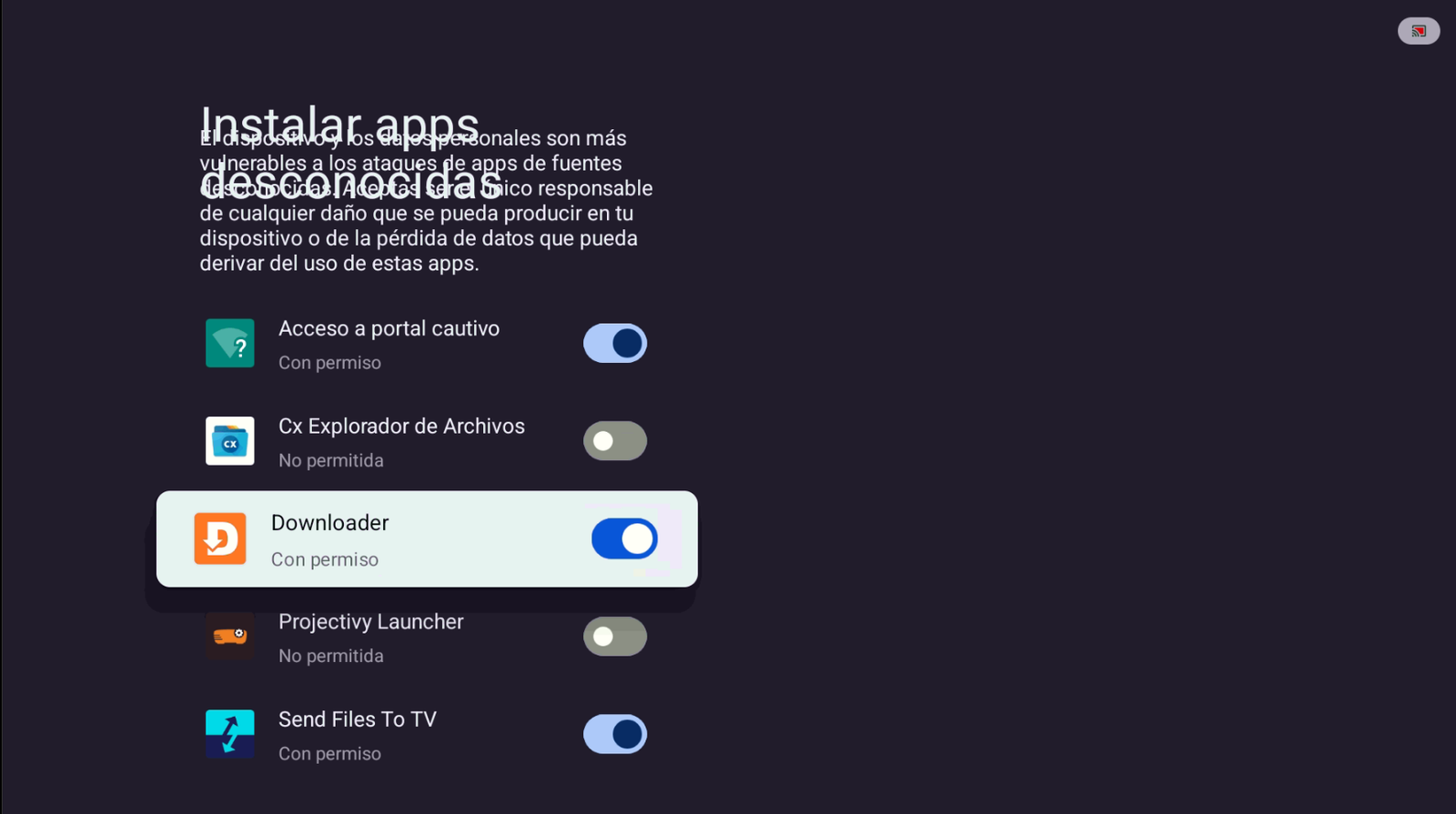
Enable permission for Downloader. -
Tap Install when the Telelatino install window appears.
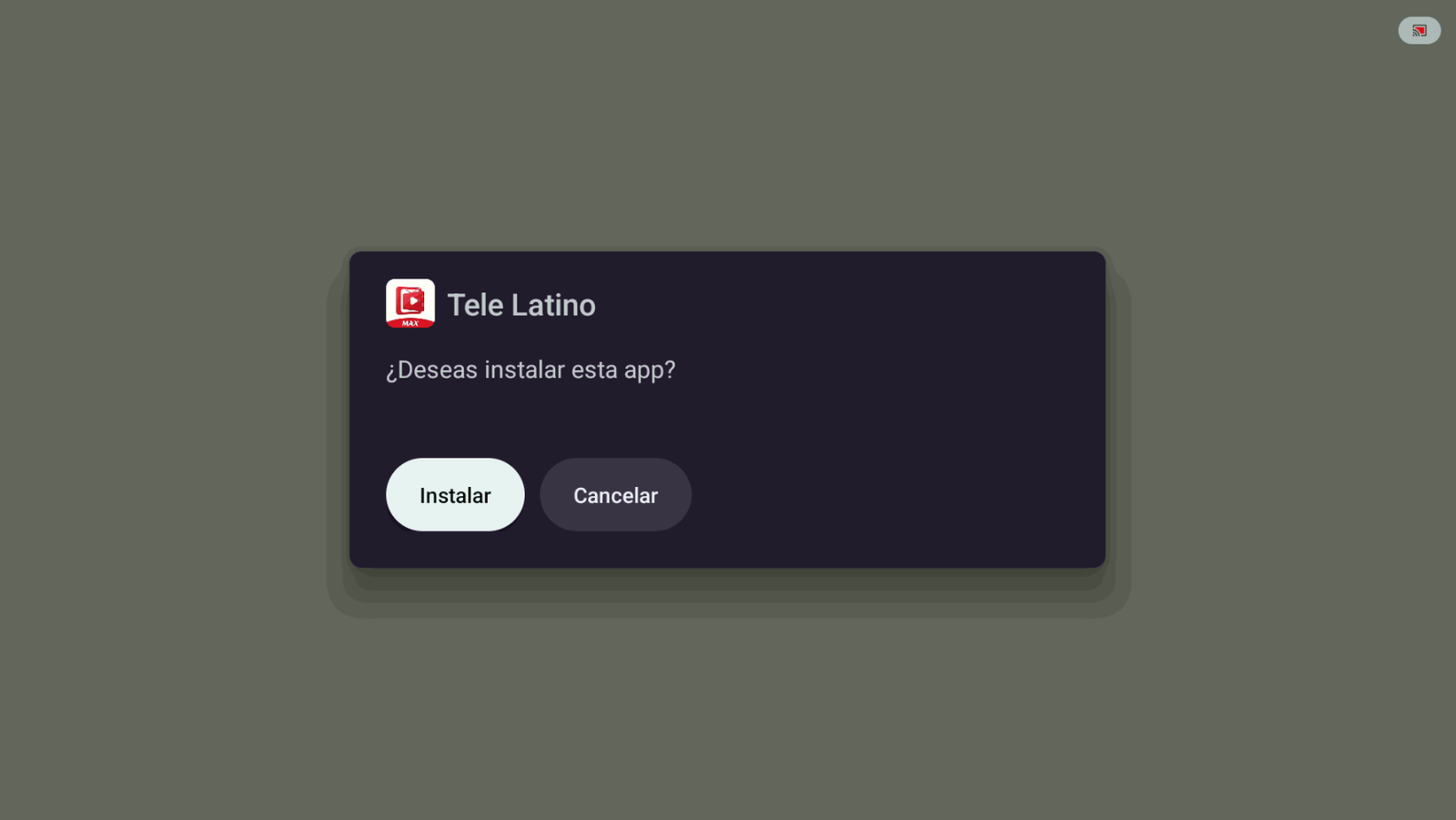
Tap Install. -
If Play Protect shows a warning, tap More details, then Install anyway.
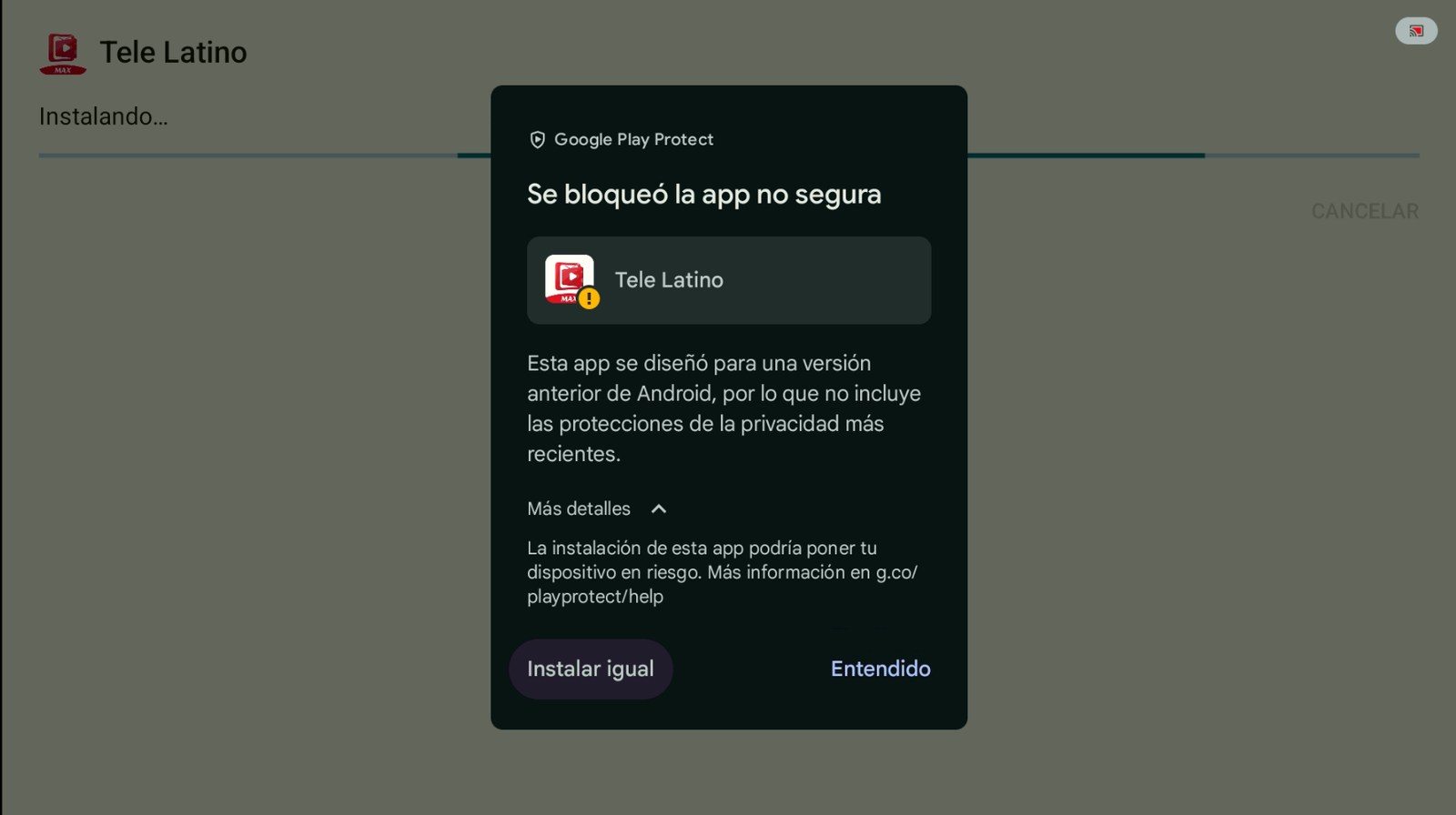
More details → Install anyway. -
When installation finishes, tap Open.
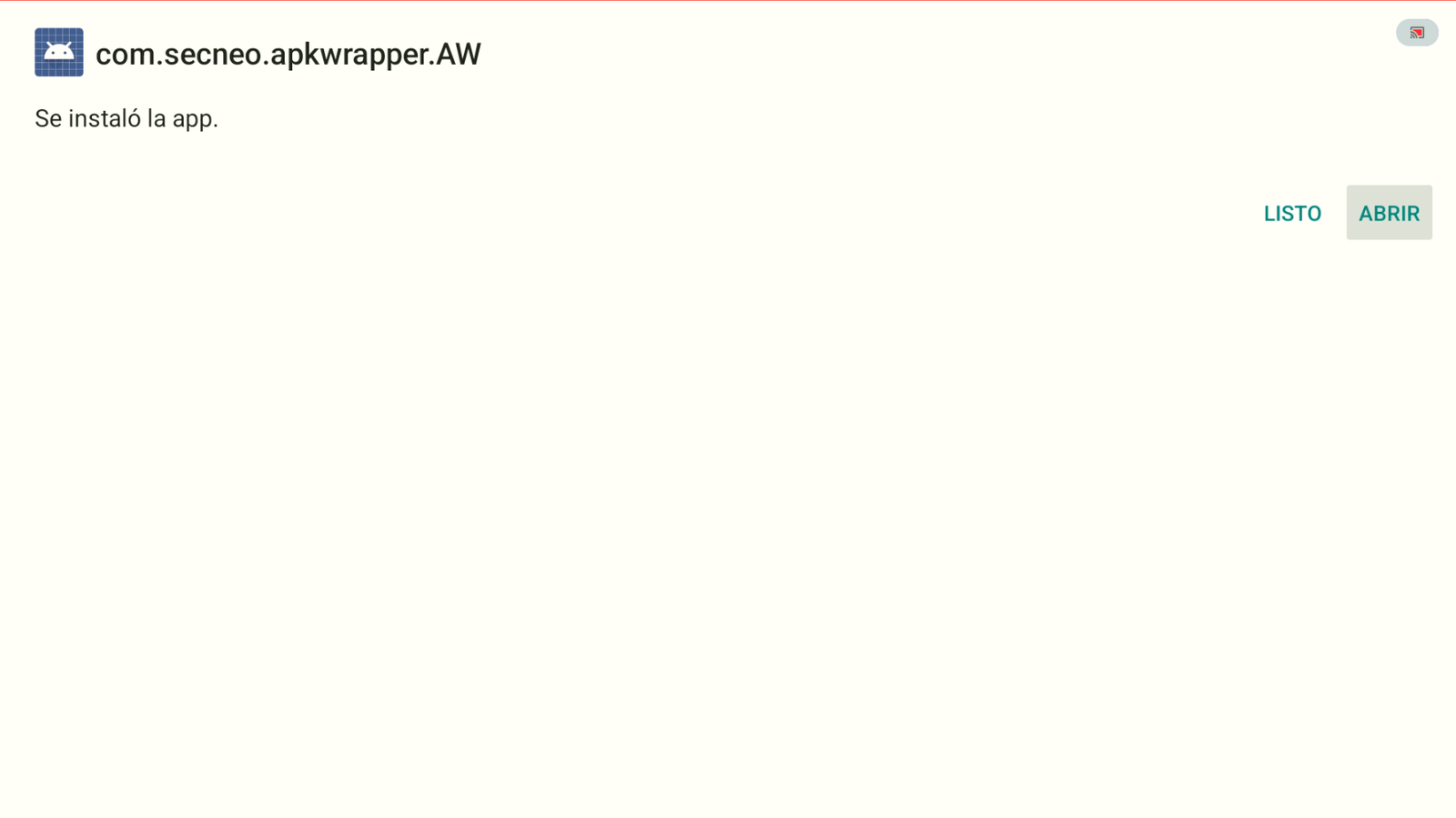
App installed → Open. -
Grant the permissions Telelatino needs to work correctly (tap Allow).
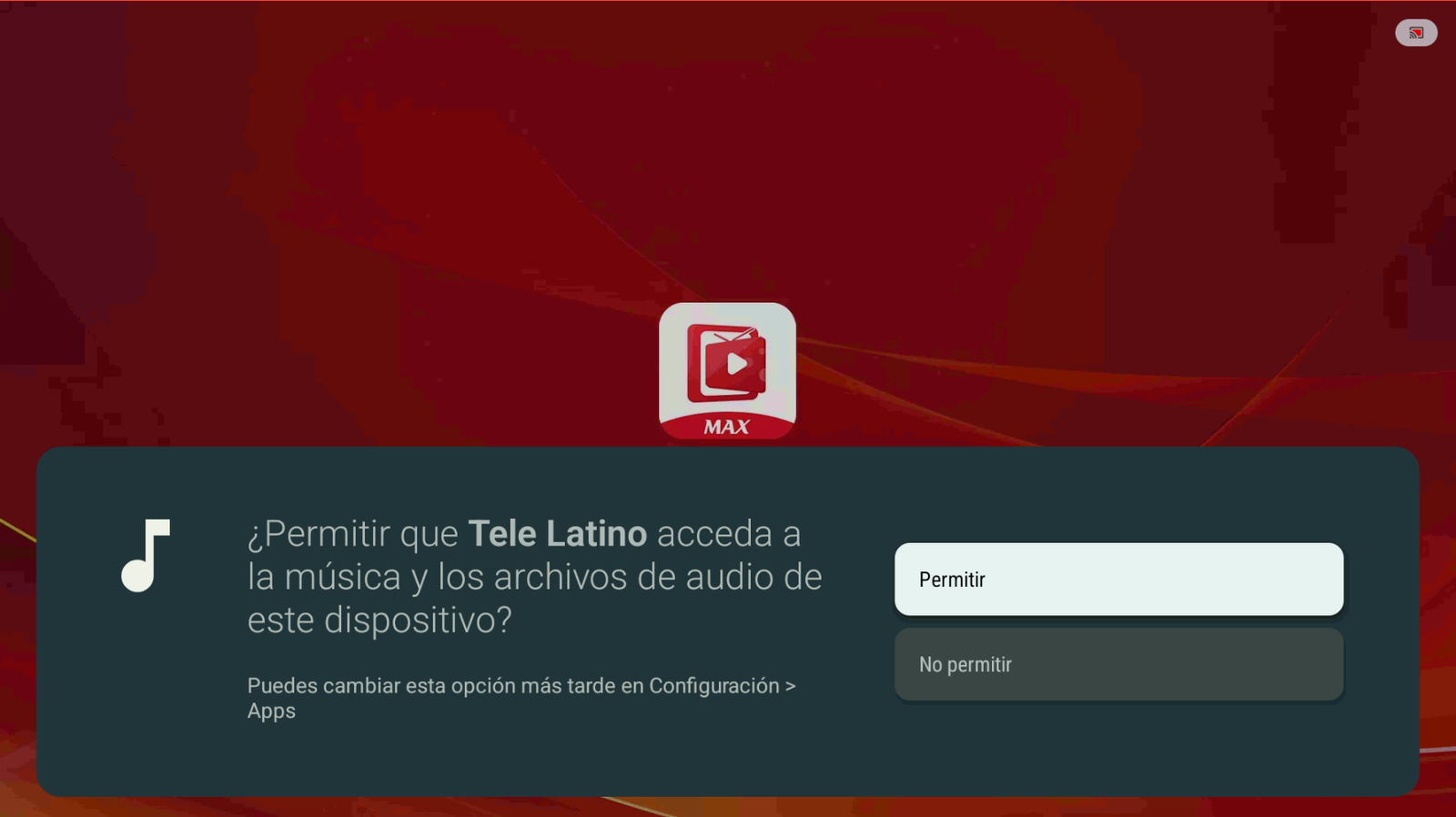
Tap Allow. -
On first launch you’ll get a 3-day free trial. Tap Start using (Empezar a usar) to try the app.
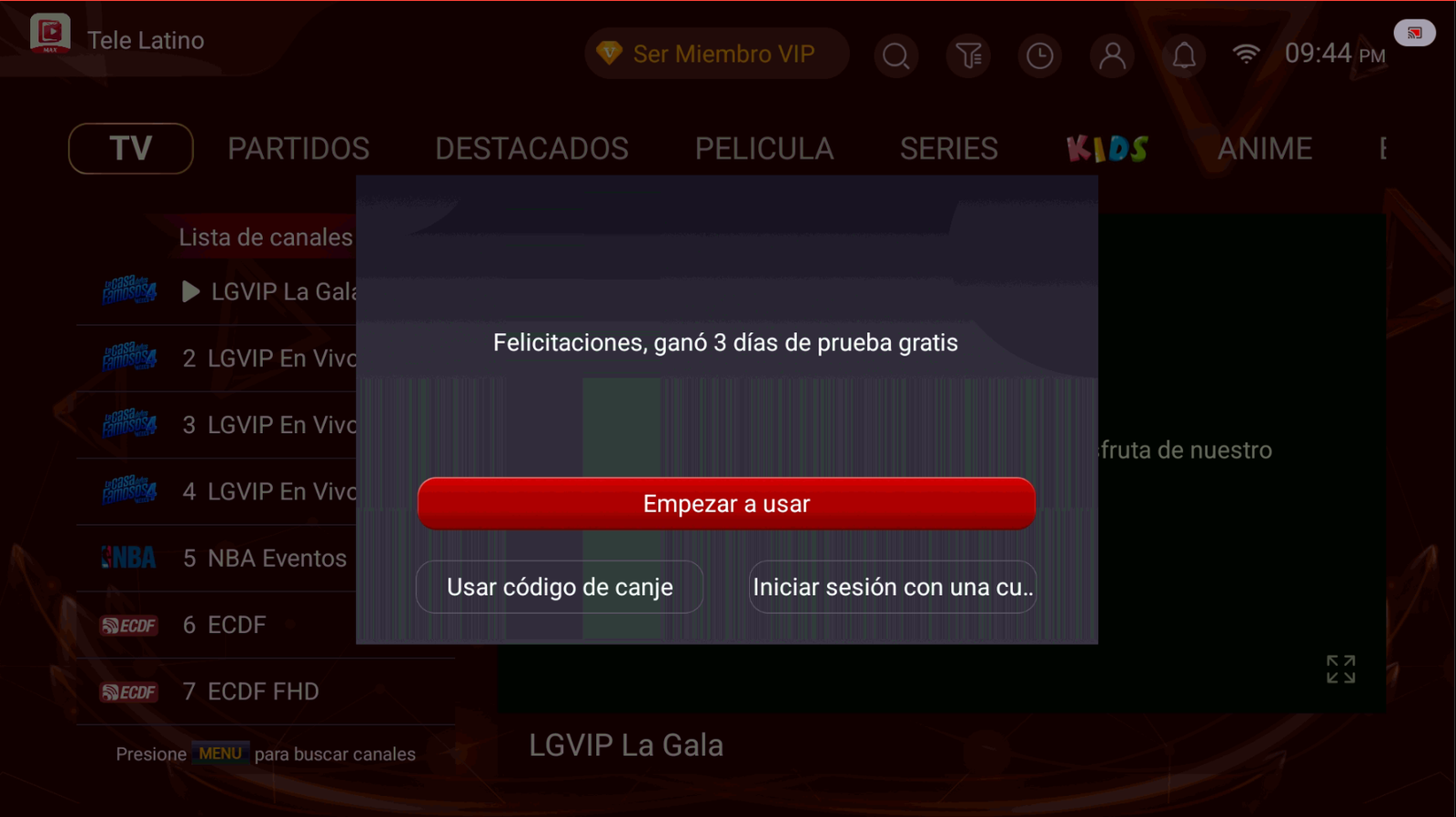
Start your free trial. -
When the trial ends, you can buy an account. Contact: +52 55 2707 7840.
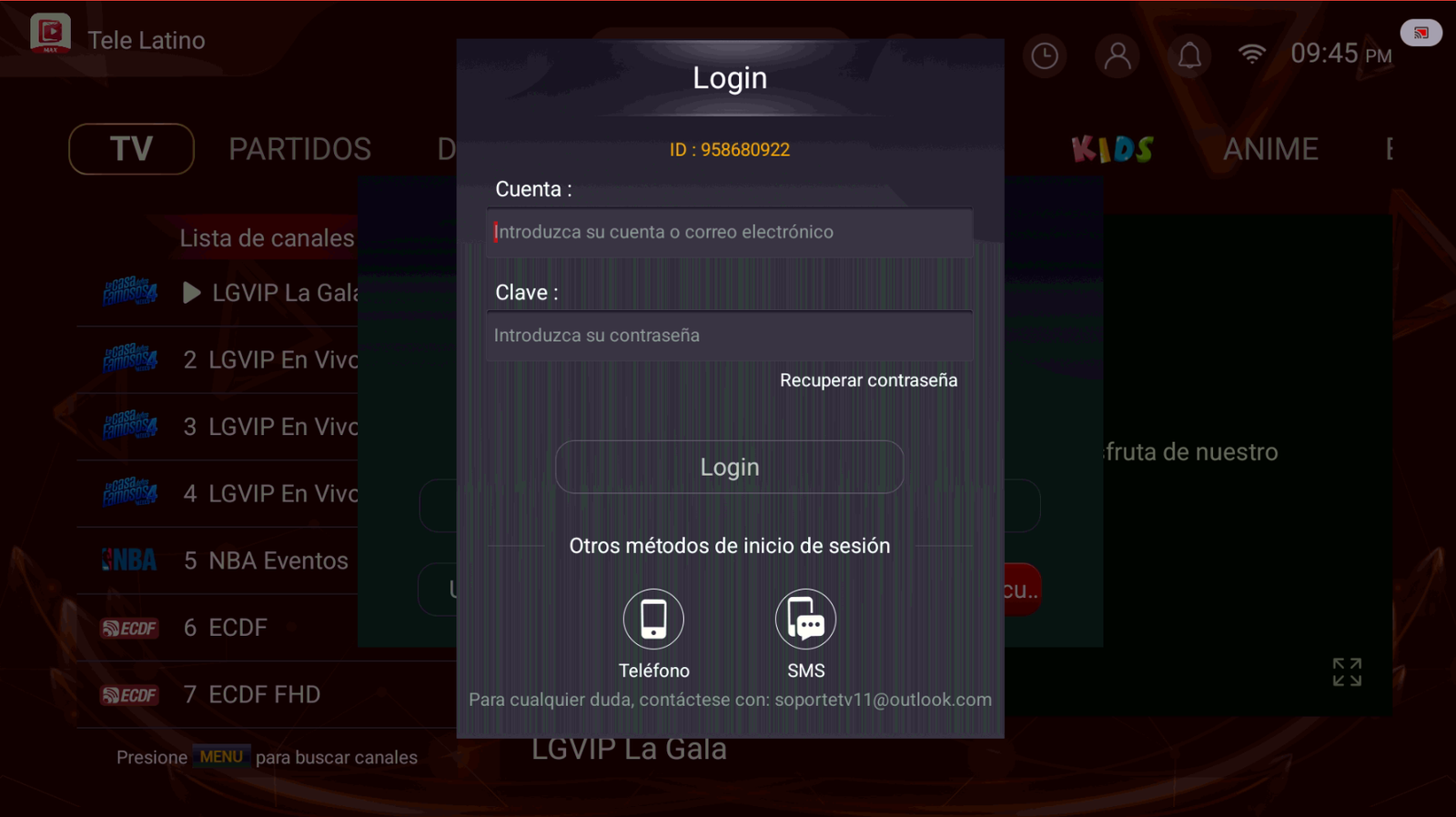
Sign in or request your account.
Conclusion
With Downloader and code 2509375, you can install Telelatino in minutes and use the free trial.
Buy Telelatino
To buy a Telelatino account, contact us on WhatsApp: +52 55 2707 7840.
Comments
Comments will appear once Disqus is configured.