How to activate Developer Options on Firestick
Step-by-step guide to enable Developer Options and Install unknown apps on Fire TV Stick.
Activate Developer Options on Firestick
To install external apps, you need to enable Developer Options on your Firestick.
-
On the home screen, go left and open Settings (gear icon).
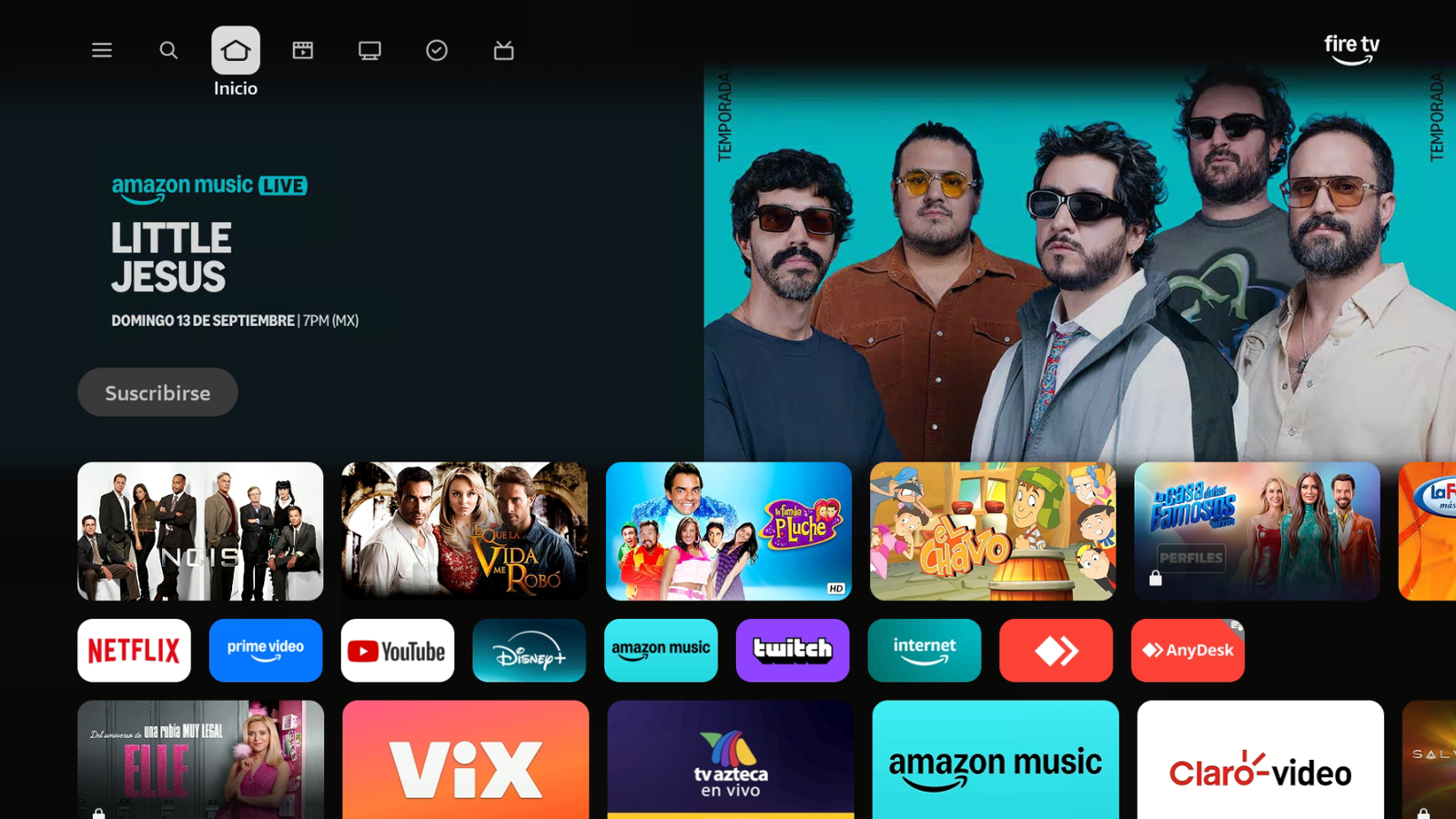
From Home, open Settings. -
In Settings, select My Fire TV.
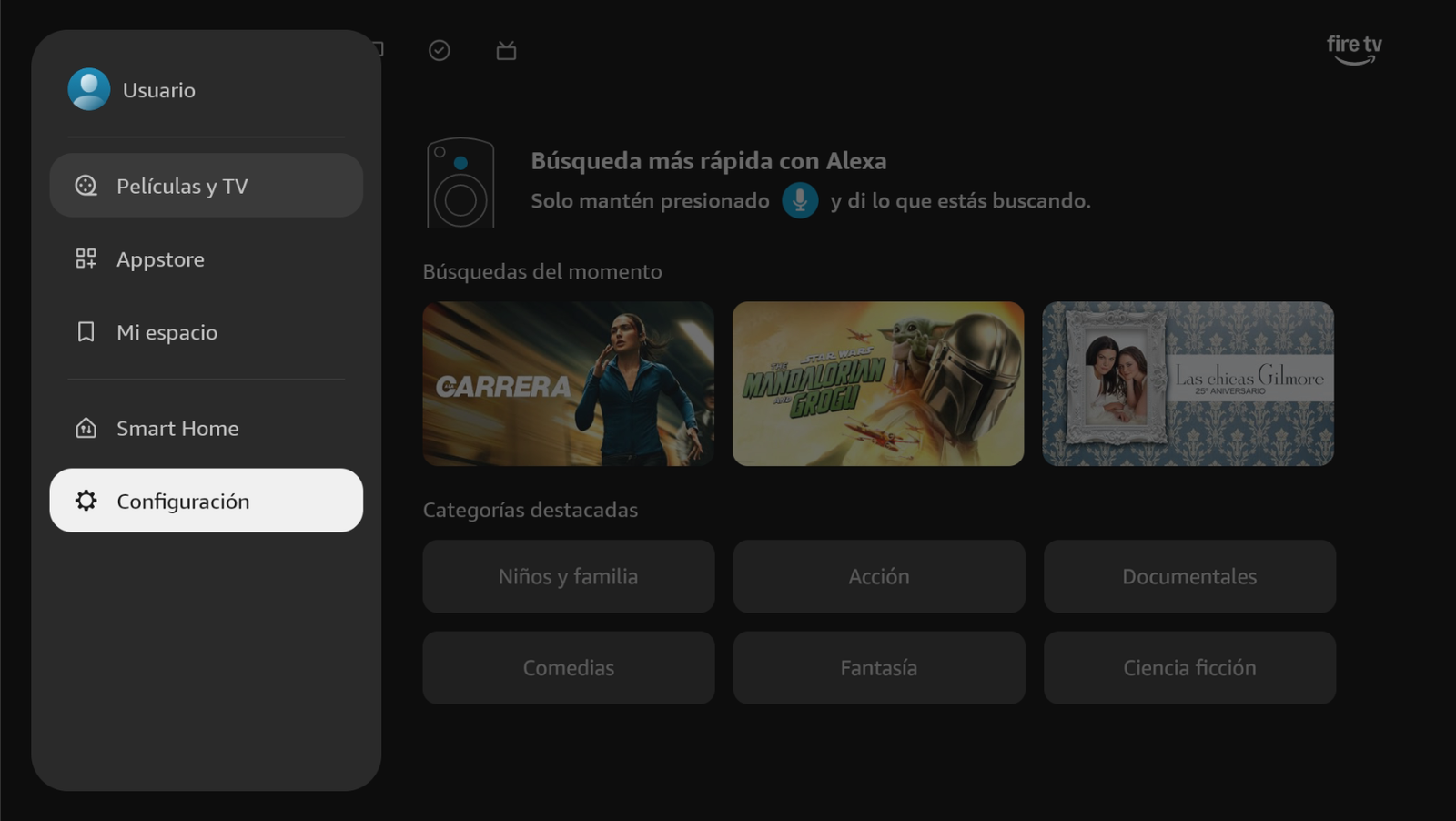
Open Settings. -
Select My Fire TV.
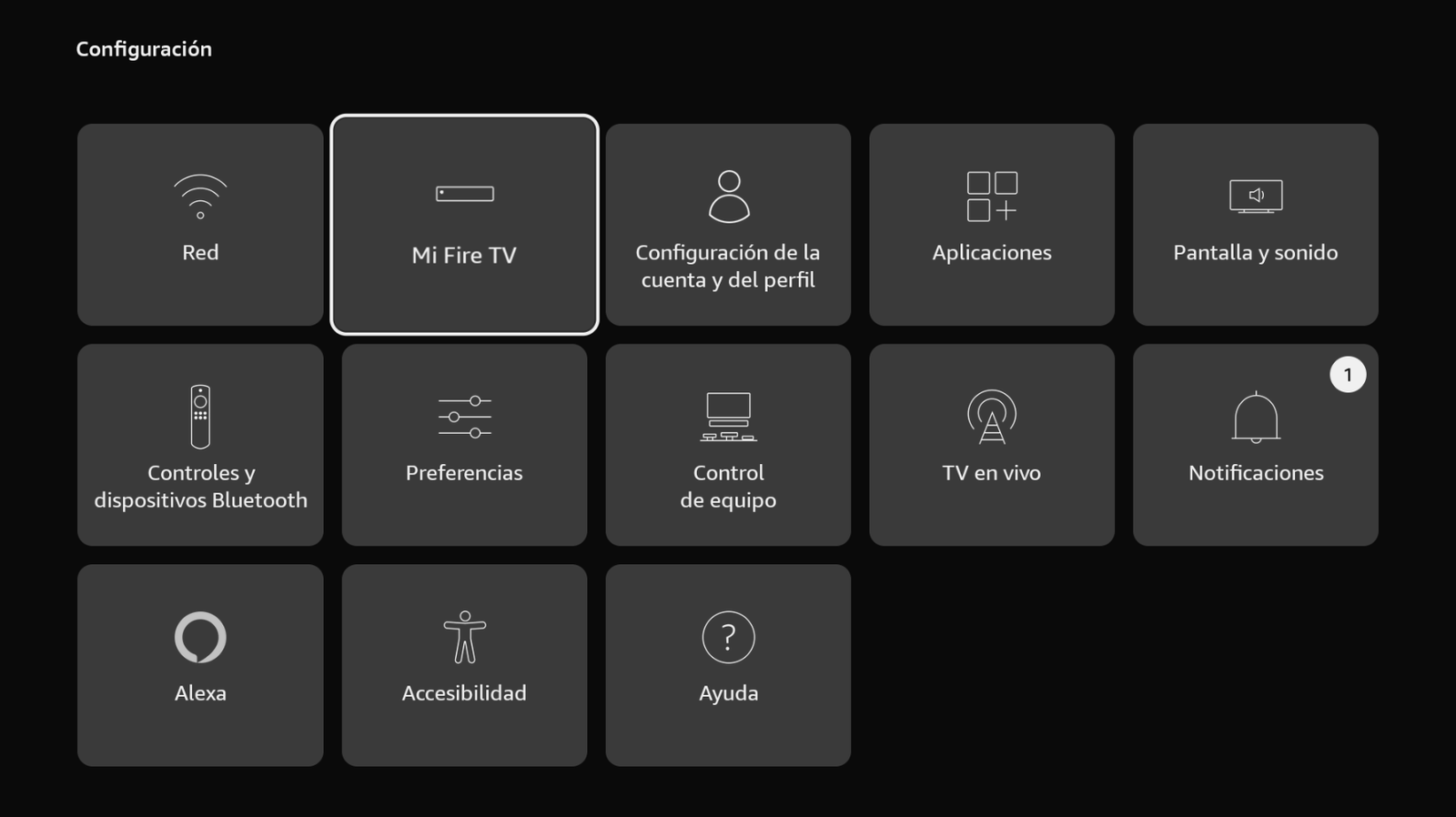
Enter My Fire TV. -
Under About (Información), press OK 7 times on the Fire TV / device info row until Developer Options unlock.
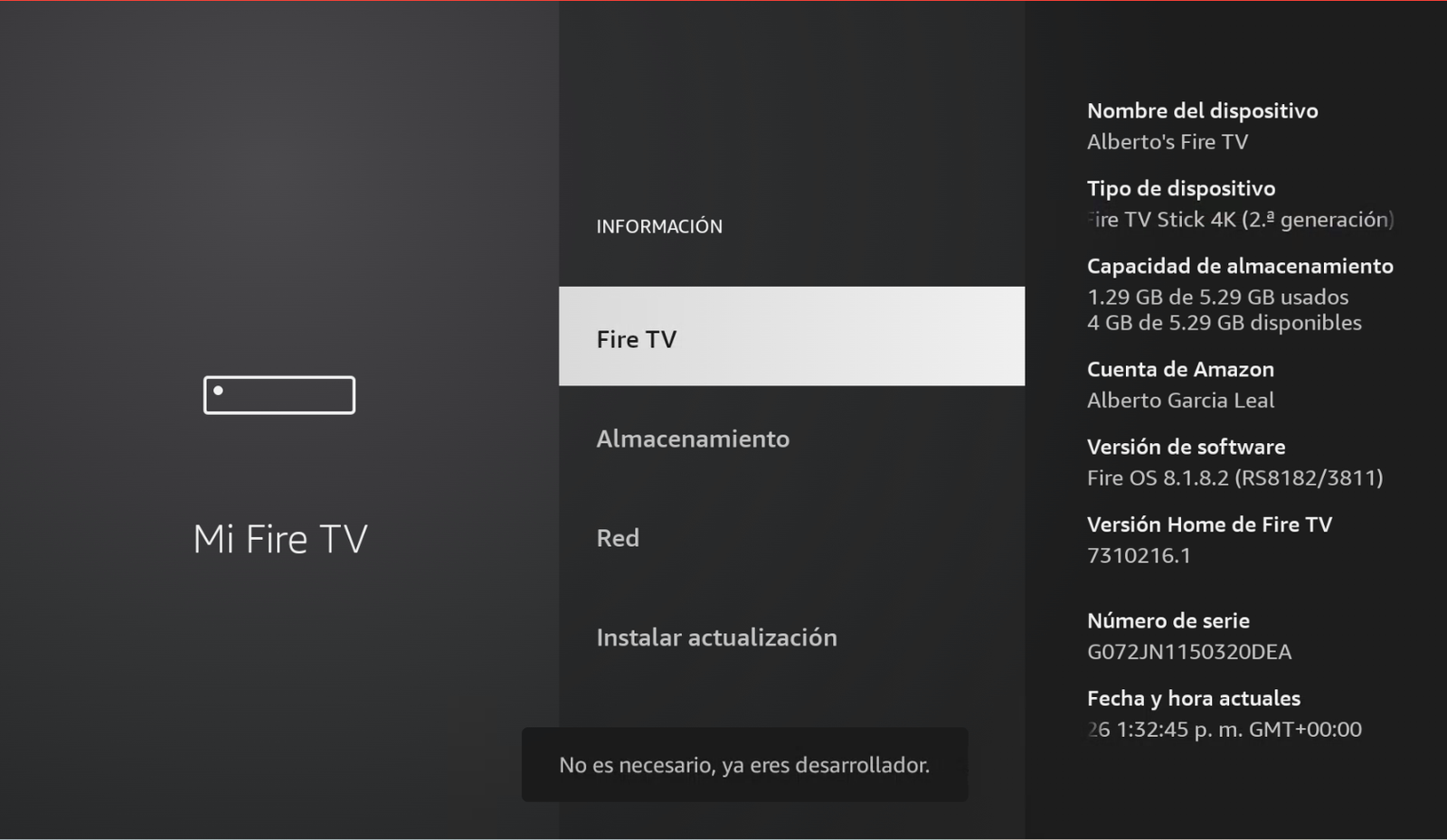
Press OK 7 times until you see the developer message. -
Go back one screen. Under About you’ll now see Developer options. Open it.
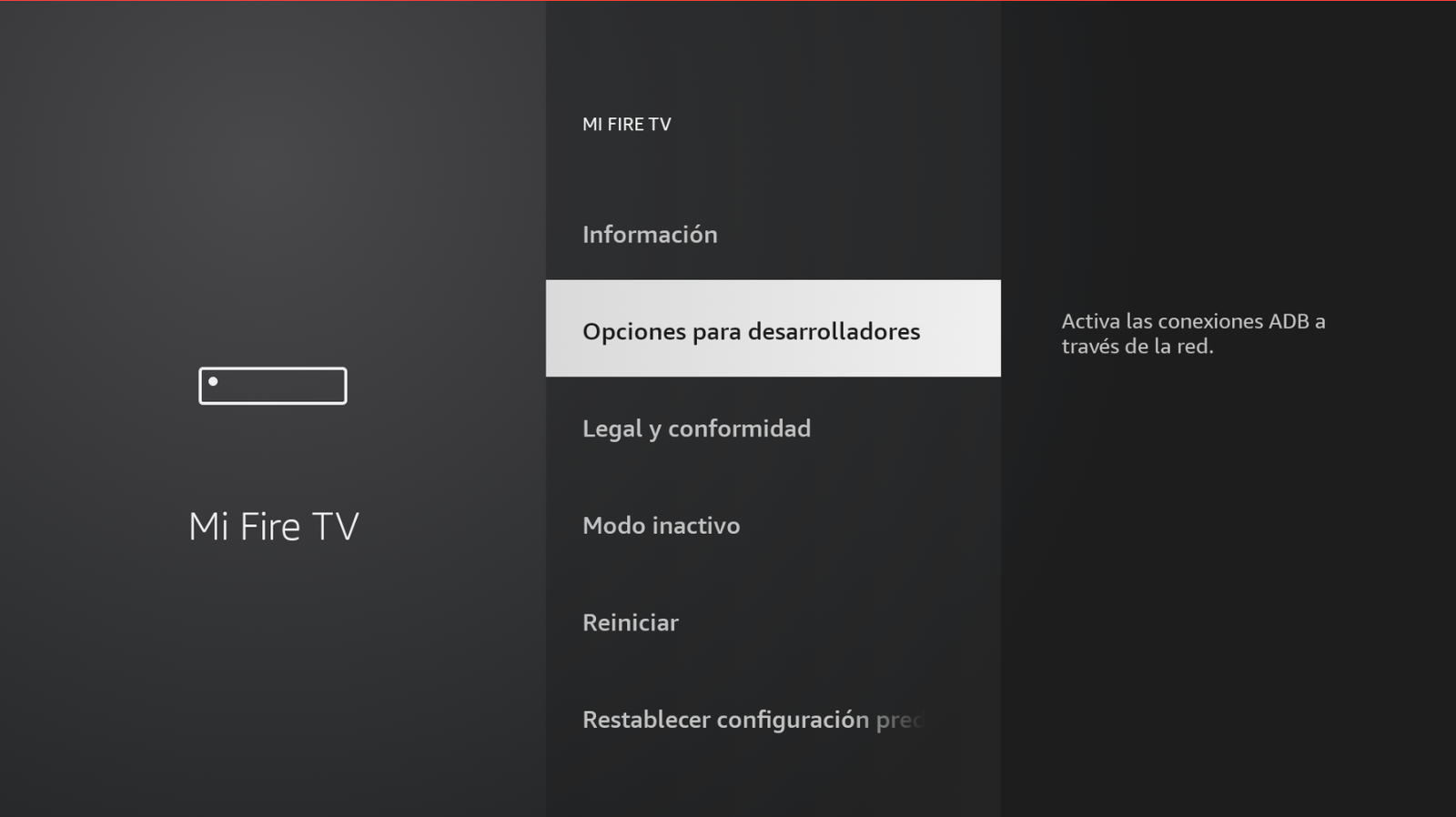
Open Developer options. -
Select Install unknown apps.
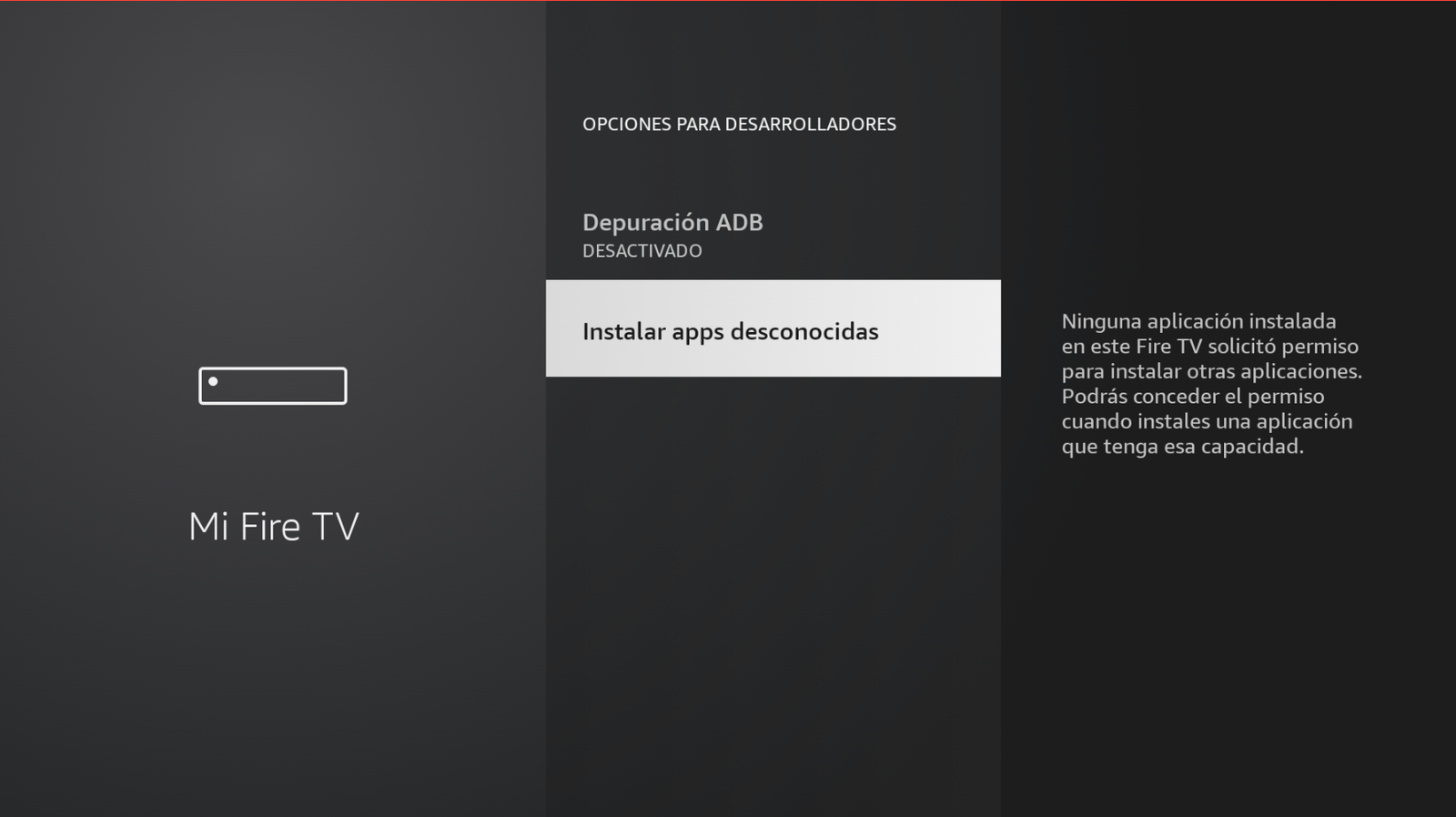
Enter Install unknown apps. -
Turn on permission for Downloader (or apps like V File Explorer) so they can install external apps.
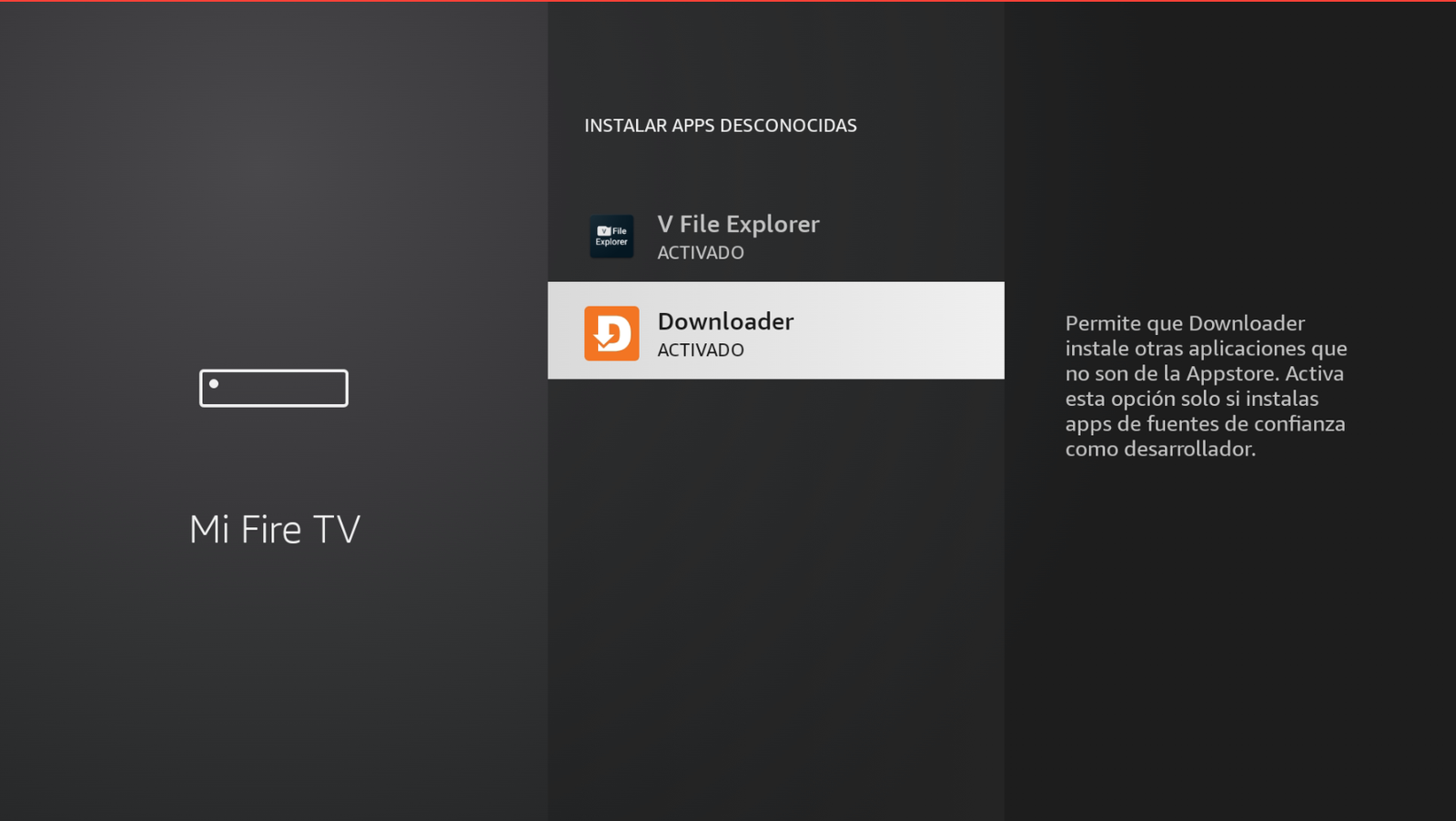
Downloader → ON / ACTIVADO.
Next step
When you’re done, continue installing apps, for example: How to install Buzo TV on Firestick.
Need help?
Contact us on WhatsApp: +52 55 2707 7840.
Comments
Comments will appear once Disqus is configured.